Notifications for people outside CONTXT
Last updated: September 19, 2026
Many of the people who care about a shipment do not have a CONTXT account: a customer's receiving team, a partner warehouse, a courier's dispatcher. CONTXT has long been able to email them shipment updates. In v3.0 you decide exactly which updates each shipment sends them, from a single screen, so partners get the milestones and alerts they need and nothing they do not.
Where to find it: any shipment page › info icon › Notifications › pencil
Find the recipients on the shipment
Hover the info icon in the header card. Near the bottom of the panel, the Notifications row shows how many people receive emails about this shipment. Click the pencil next to it.
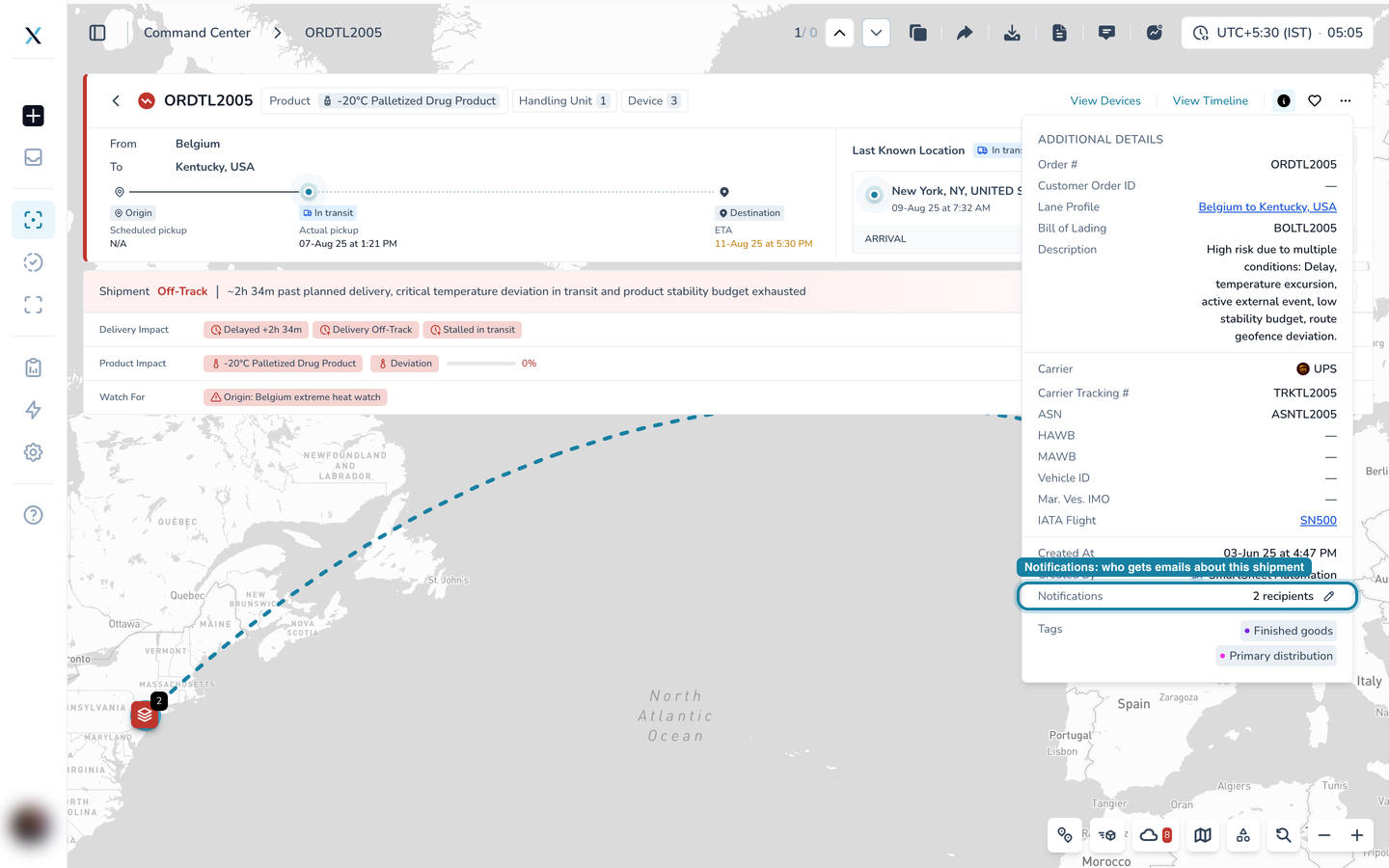
The Notification Recipients screen
The screen has two halves. On the left, the people who receive emails. On the right, the settings that apply to all of them.
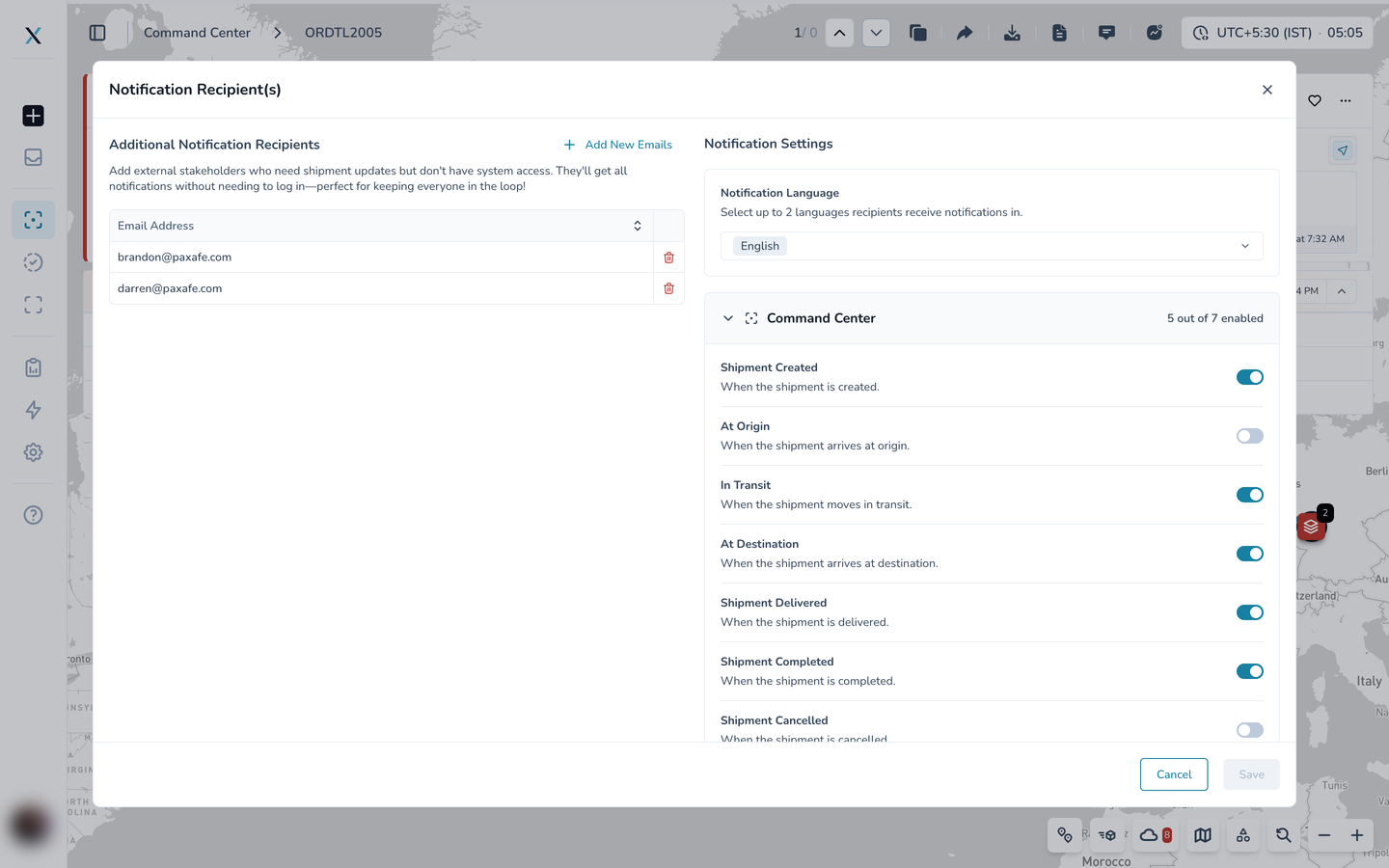
Recipients
Additional Notification Recipients lists the external email addresses on this shipment. These people do not need to log in. Select Add New Emails to invite more, or the bin icon to remove one.
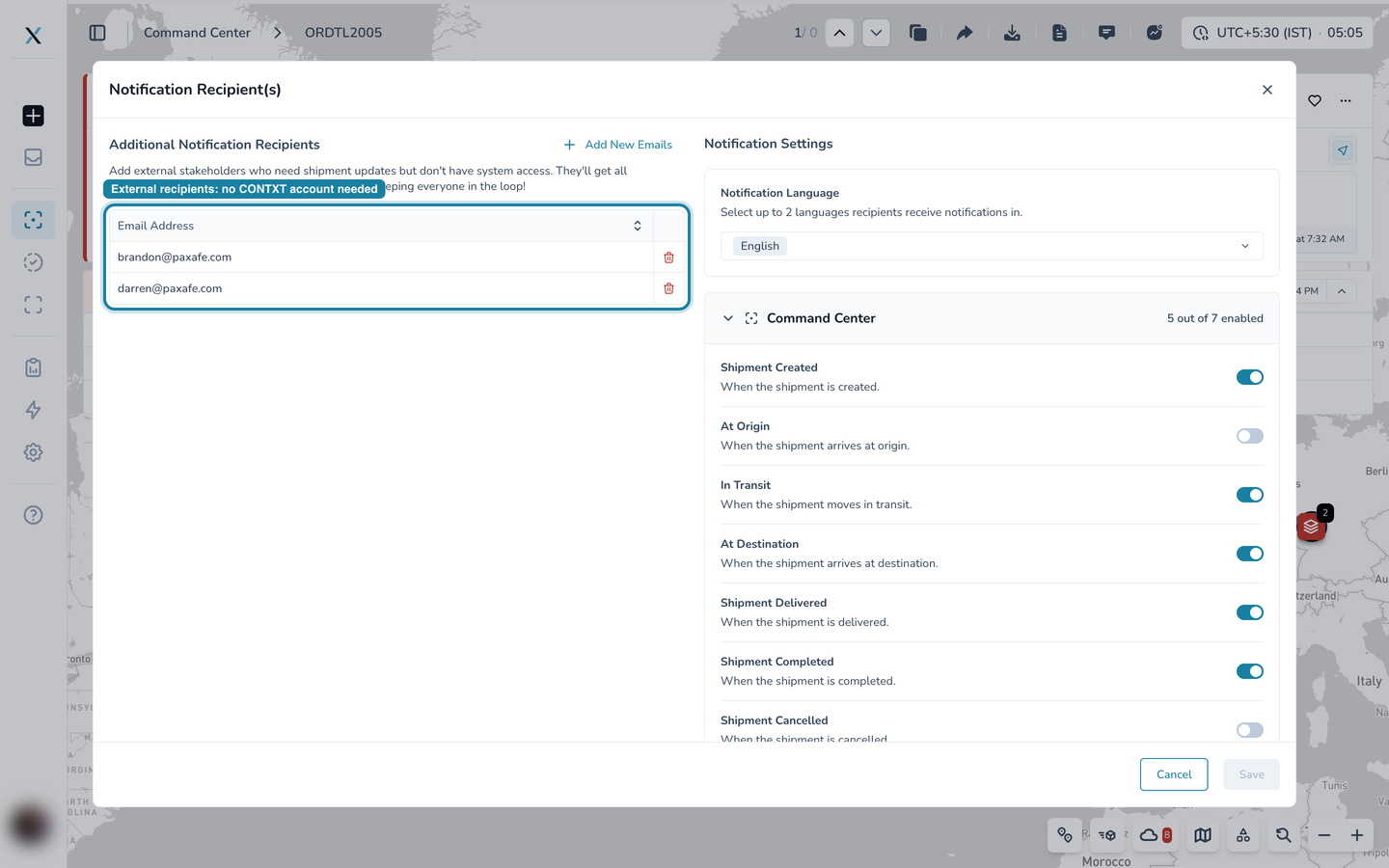
Notification language
Choose up to two languages. Every recipient receives the emails in the languages you pick here.
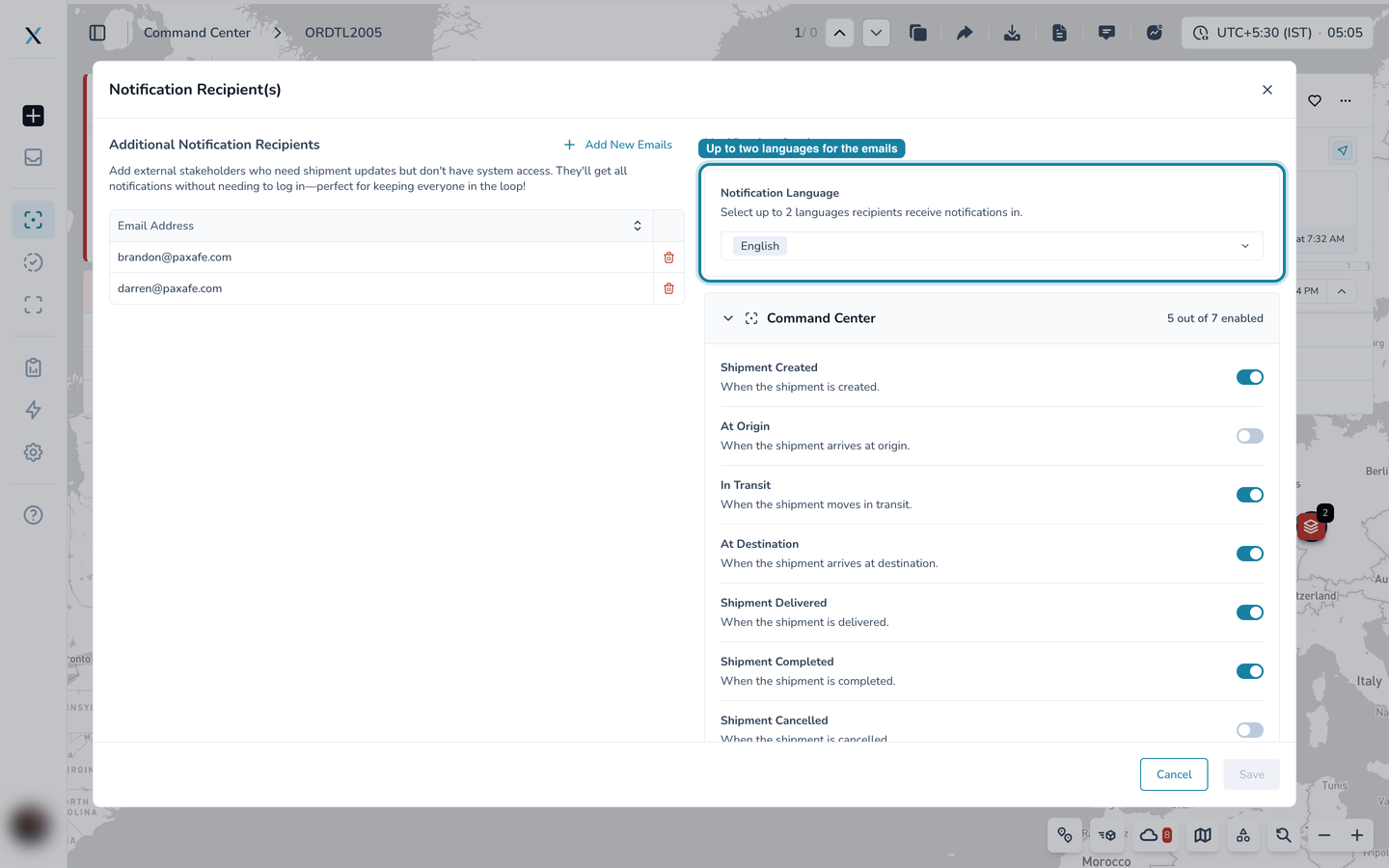
Choose which notifications they receive
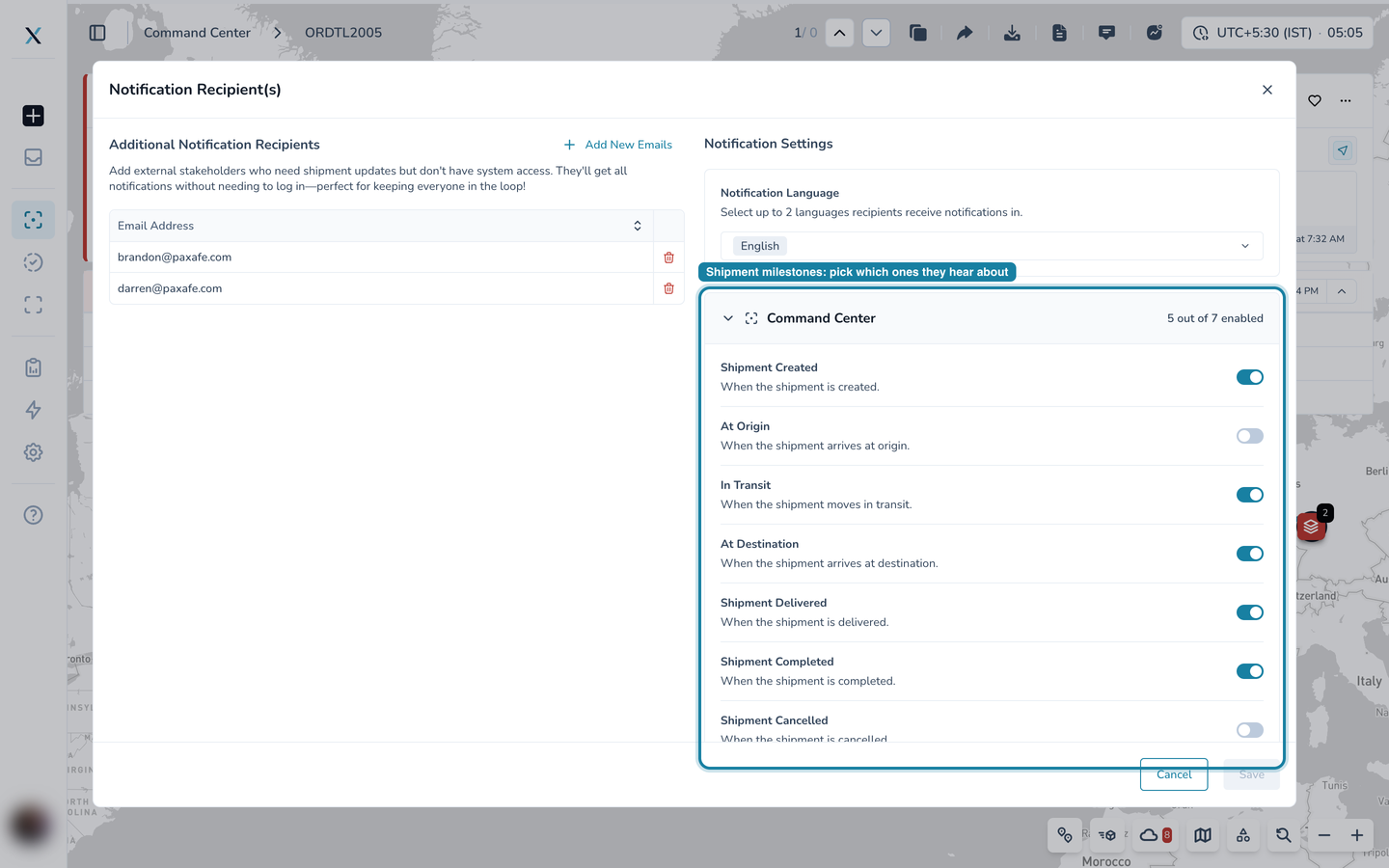
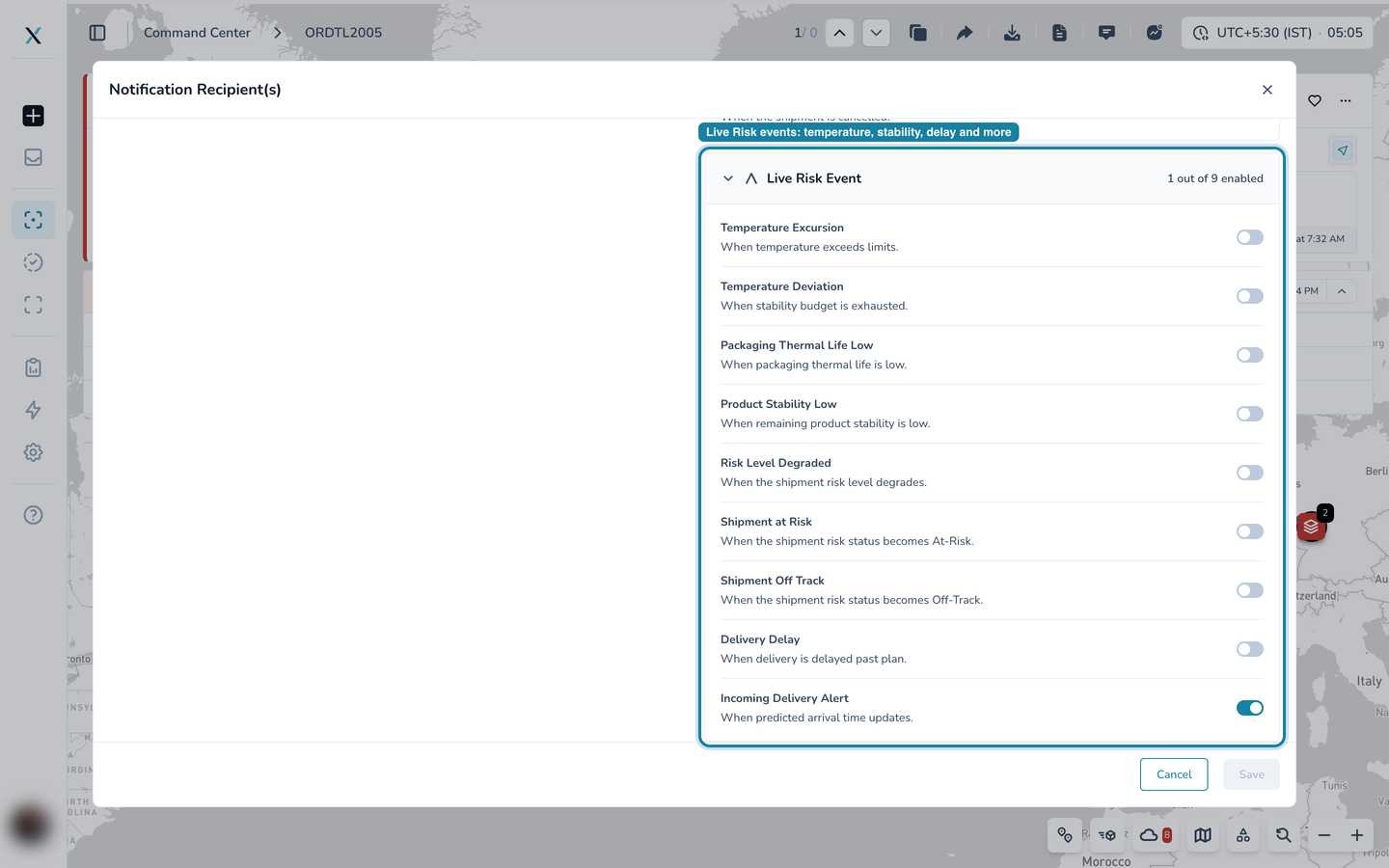
Notification Settings lists every email CONTXT can send about the shipment, in two groups. Each has a switch, and the group header counts how many are on.
Command Center covers the shipment's milestones:
Shipment Created, At Origin, In Transit, At Destination, Shipment Delivered, Shipment Completed and Shipment Cancelled.
Live Risk Event covers what the Live Risk Agent detects:
Temperature Excursion and Temperature Deviation
Packaging Thermal Life Low and Product Stability Low
Risk Level Degraded, Shipment at Risk and Shipment Off Track
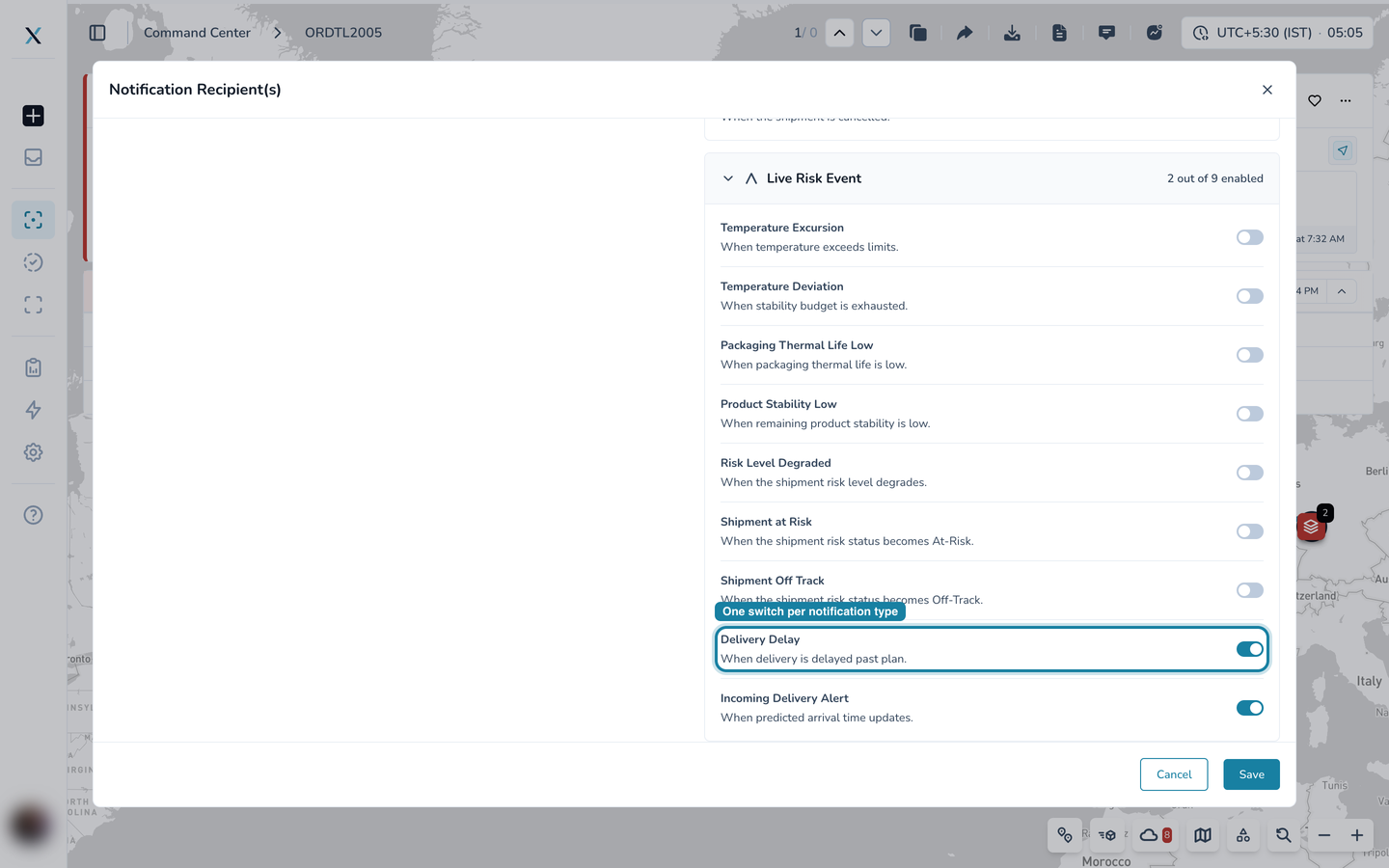
Delivery Delay and Incoming Delivery Alert (when the predicted arrival time changes)
Turn a switch on or off, then select Save. The setting applies to every external recipient on the shipment. Cancel discards your changes.
The emails now carry the Customer Order ID
The shipment's Customer Order ID (the reference your customer uses for the order, shown in the details panel) is now included in the milestone emails sent to external recipients, so a partner can match the email to their own order without asking.
Good to know
These settings are per shipment. A recipient on two shipments can receive different notifications for each.
Registered CONTXT users manage their own notification preferences in their user settings. This screen is for people without an account.
Fields that are empty on the shipment, such as a missing Customer Order ID, are simply left out of the email.
Part of the CONTXT v3.0 release