Live Risk Agent: one verdict from every source
Last updated: September 19, 2026
A shipment produces a lot of signals while it moves: carrier milestones, device pings, temperature readings, flight and vessel schedules, weather and other external events, and the rules in your own SOPs. Reading all of them for every shipment is not possible by hand. In CONTXT v3.0 the Live Risk Agent does that reading for you. It looks at every source together, decides whether the shipment is On-Track, At-Risk or Off-Track, explains why in a sentence, and recommends what to do.
The agent runs on every active shipment, whether it has a device on board or is tracked through the carrier alone. That is the biggest change from the previous Live Risk, which only covered shipments with an active device.
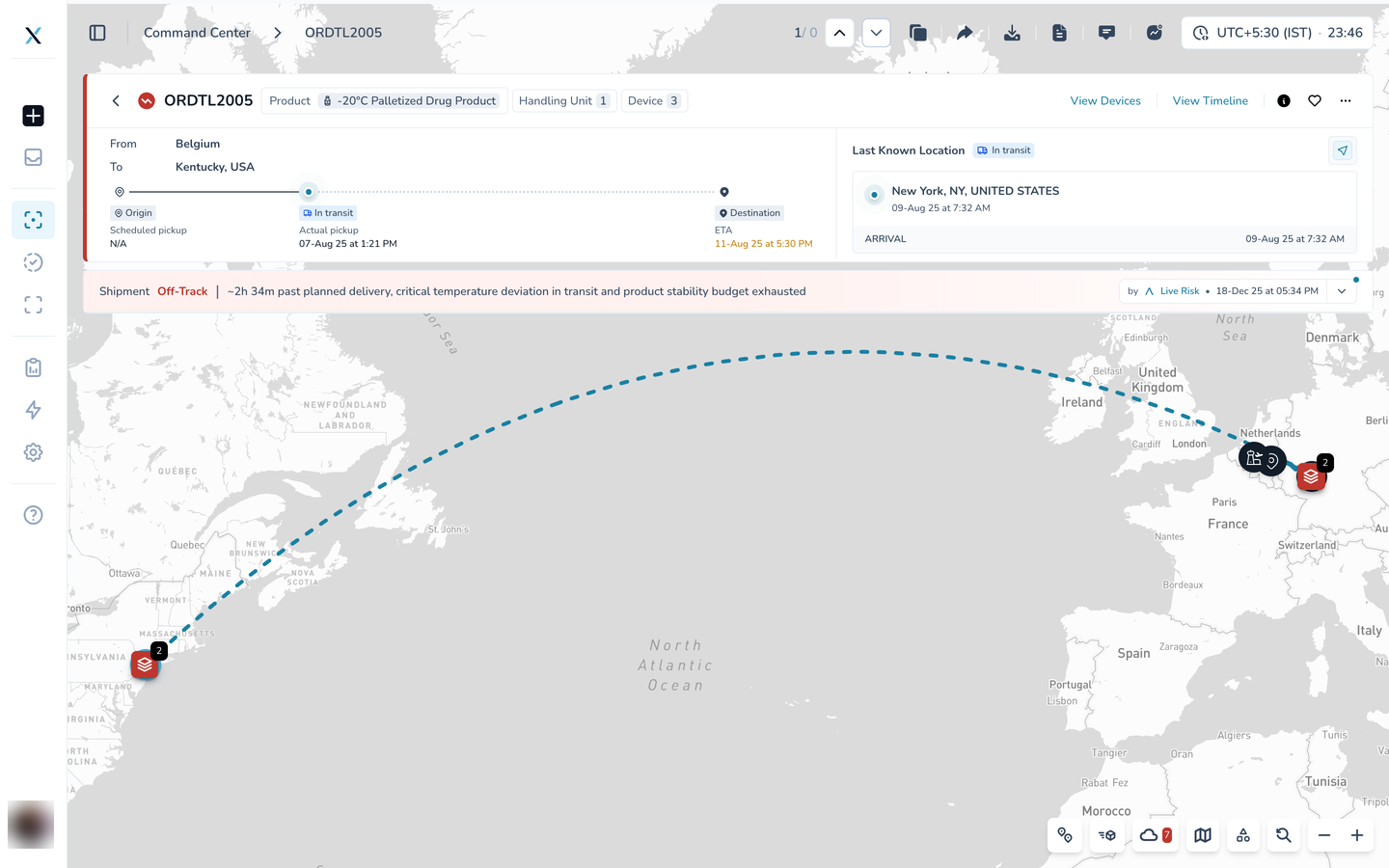
Where to find it: the Live Risk band on every shipment page, the verdict icon on the map and the quick details card, and the Live Risk Status column in the list
Read the verdict
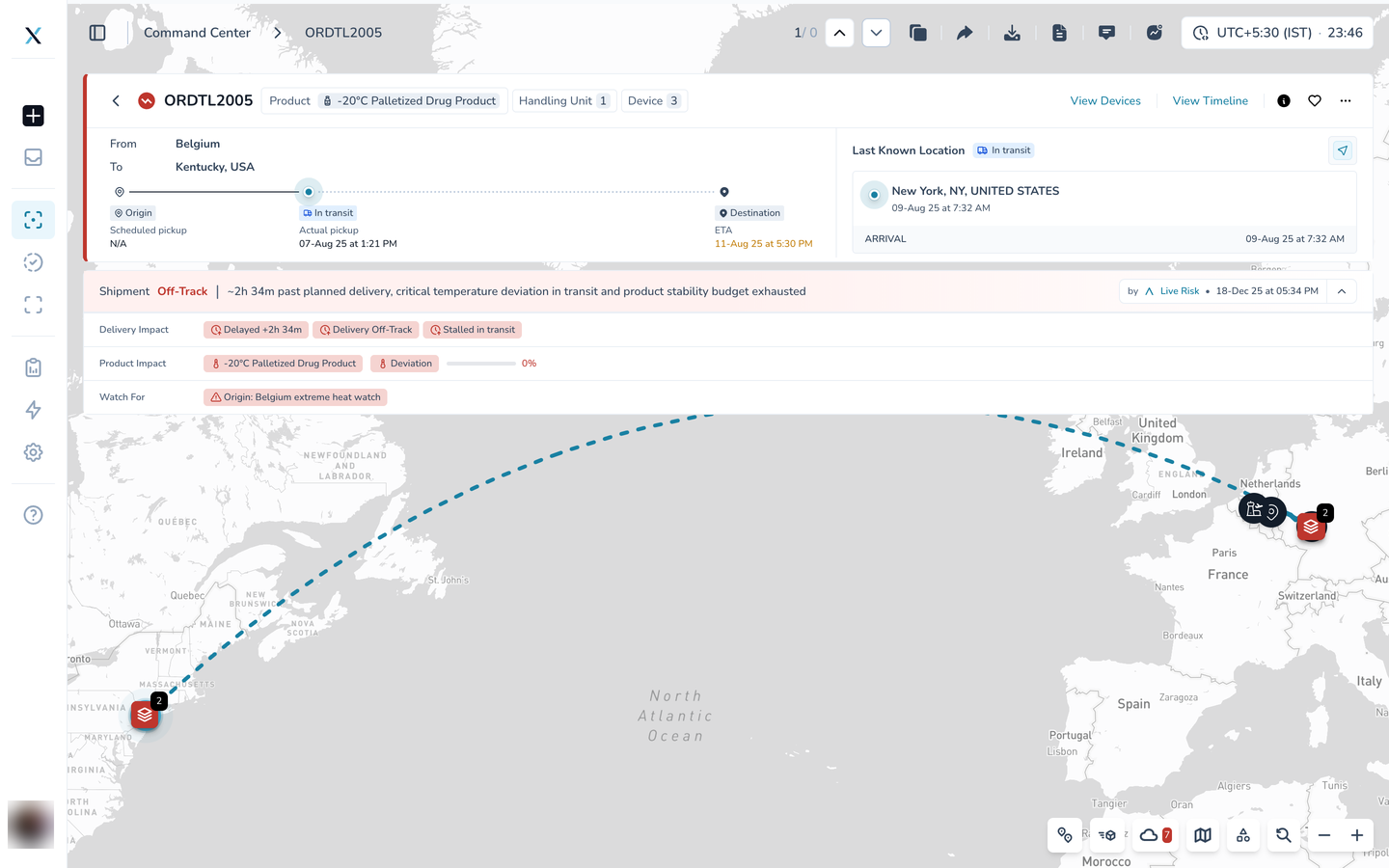
Open any shipment. The band under the header cards is the agent's verdict for the whole shipment. It starts with the verdict word in color, then one sentence that says why. In this example the shipment is Off-Track because it is past its planned delivery, its temperature has deviated in transit and the product's stability budget is used up.
On the right, by Live Risk and a date tell you when the agent last assessed the shipment.

What the agent reads
The verdict is not built from one feed. Behind every assessment the agent combines whatever is available for the shipment:
Carrier milestones: pickups, arrivals, departures and the carrier's predicted arrival time.
Device pings: position and temperature readings from the devices on board, and whether they are still reporting.
Stale data: a device that has gone quiet, or a prediction that is older than it should be.
Flight, vessel and container schedules: delays and reroutes on the legs the shipment is booked on.
External events: weather, strikes, port congestion and similar events on the lane.
SOP checks: the temperature ranges, stability budgets and time limits set for the product.
When sources disagree, for example a carrier that says delivered while the device is still moving, the agent says so rather than picking one.
Here is what that looks like when the problem is missing data rather than bad data. This shipment has no carrier tracking, its device went quiet seven days ago while still at the origin, and the temperature had already deviated. The agent puts all three facts into one sentence and flags Stalled at origin and Device not reporting under Delivery Impact.
Three questions under the verdict
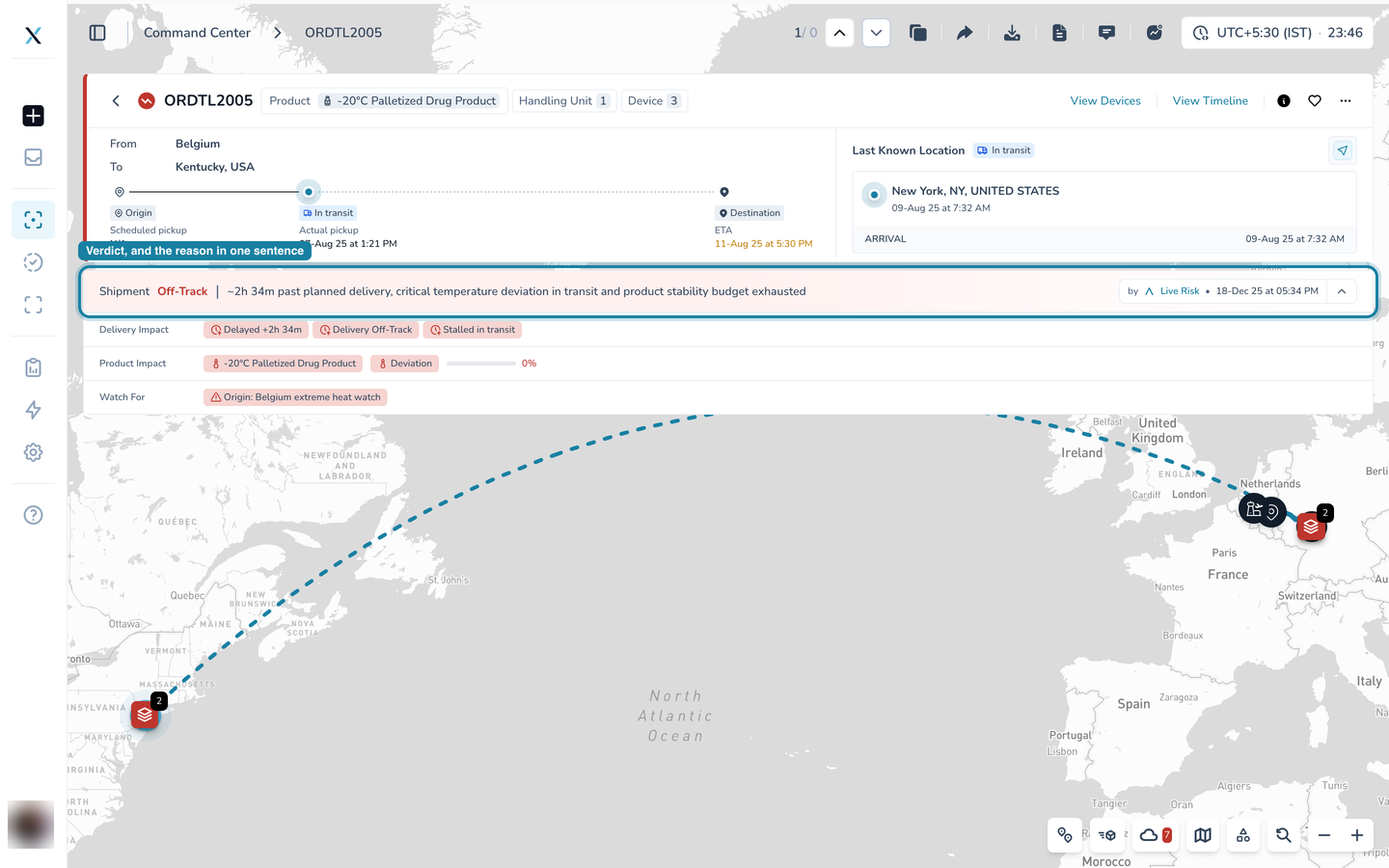
Under the sentence, three rows break the verdict into the questions you actually ask about a shipment. Each row shows short chips with the headline facts.
The three rows: Delivery Impact, Product Impact and Watch For
Delivery Impact: will it arrive on time?
Chips show the delay against the plan and the state of the journey, for example Delayed +2h 34m, Delivery Off-Track and Stalled in transit.
Product Impact: is the product still good?
The product name, its temperature status (Deviation here) and the remaining stability budget as a bar and a percentage. Zero percent means the allowed time outside range has been used up.
Watch For: what else needs an eye?
Anything the other two rows do not capture, such as an external event on the lane, a device that has stopped reporting, or sources that disagree. Here it is an extreme heat watch at the origin.
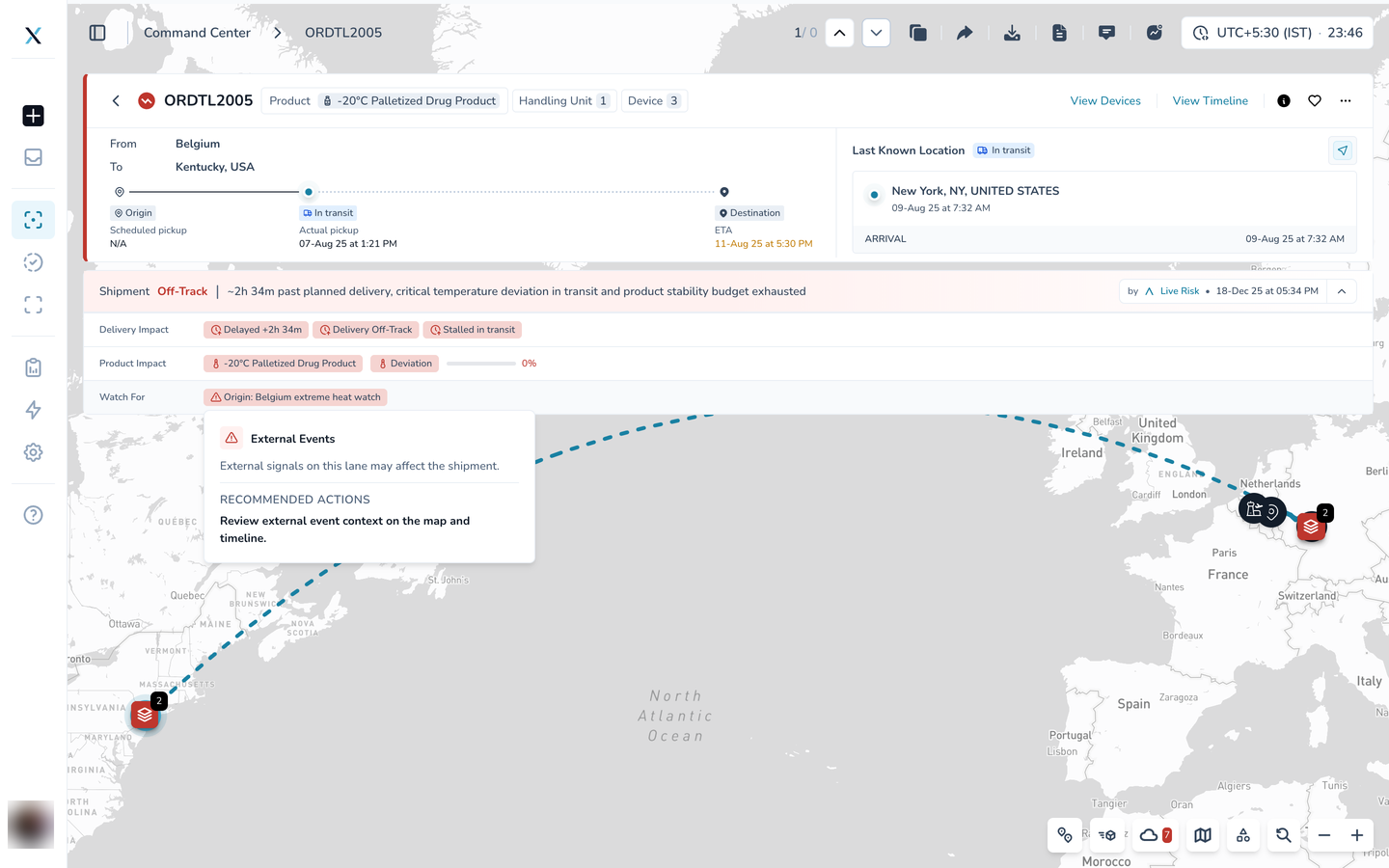
Hover a chip for the reason and the action
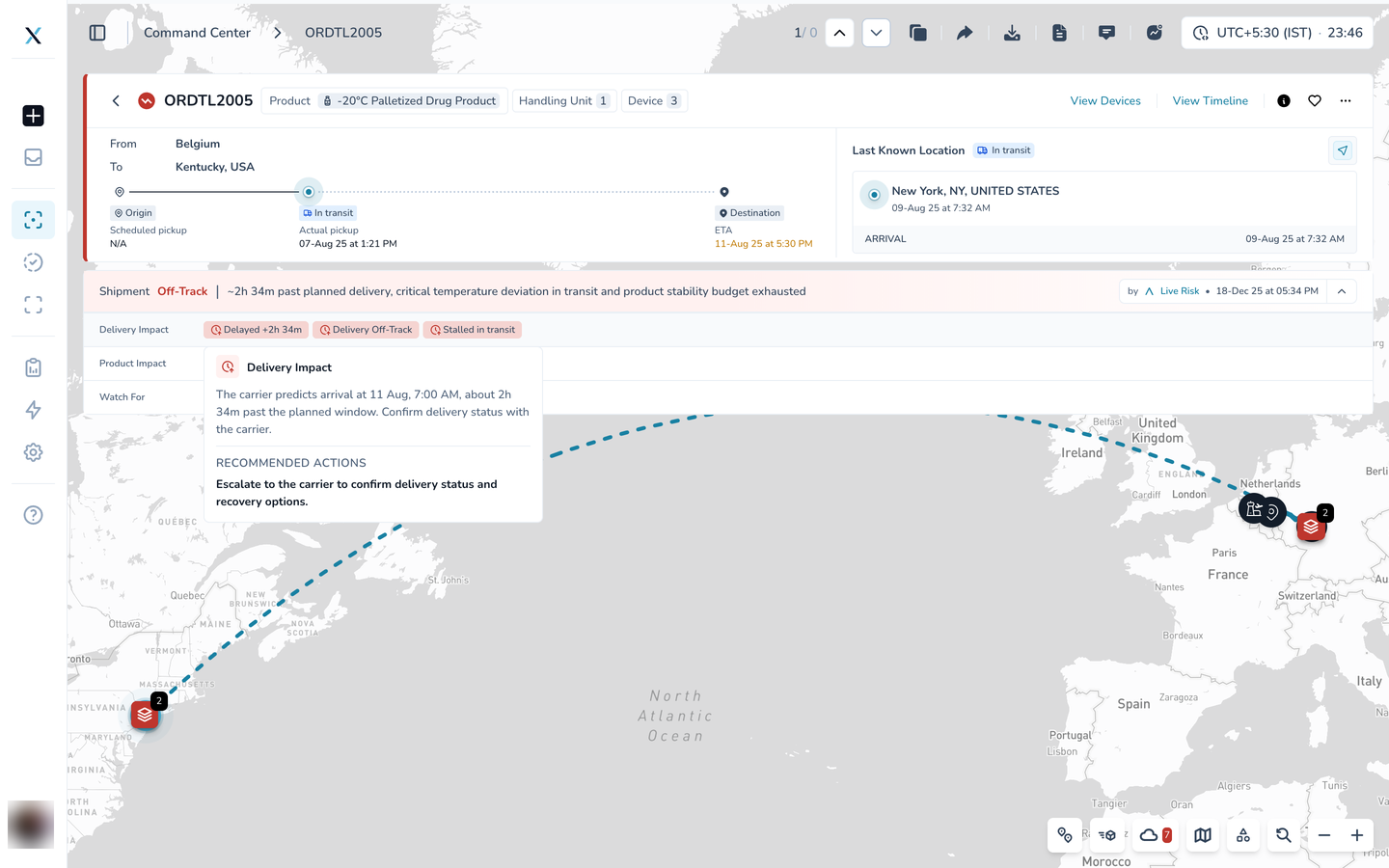
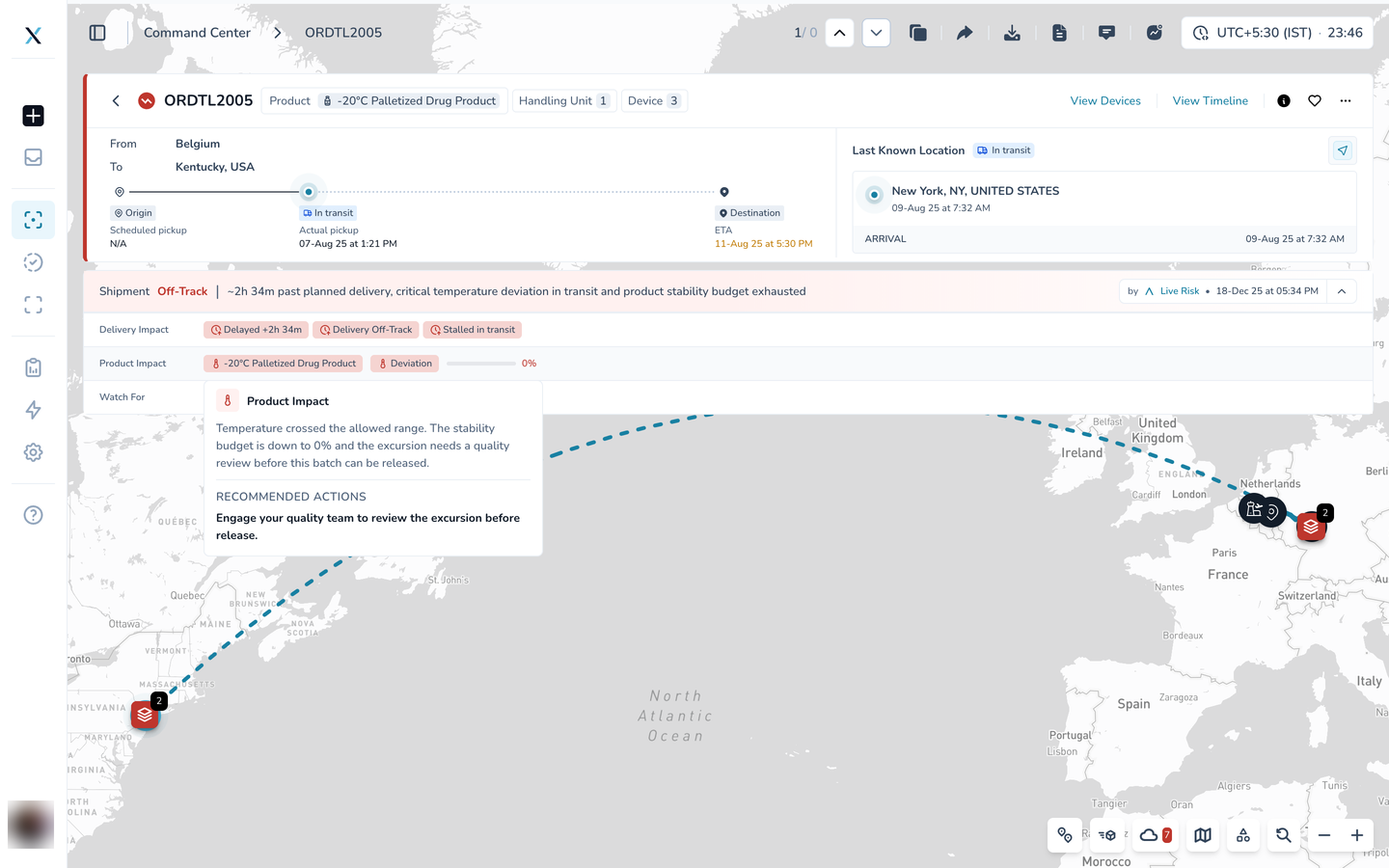
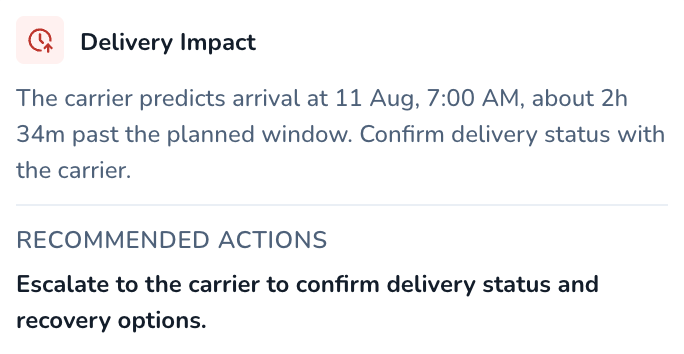
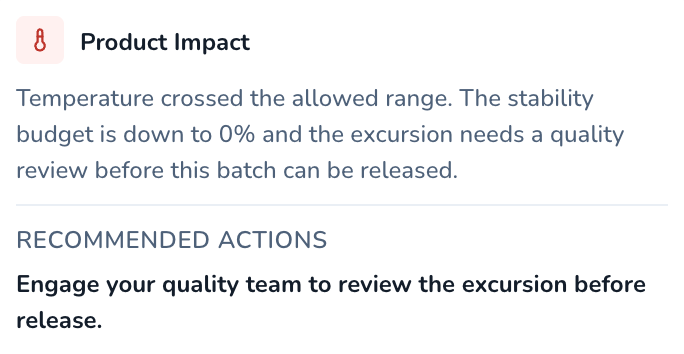
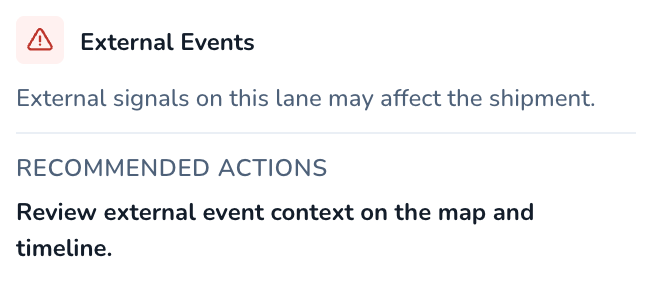
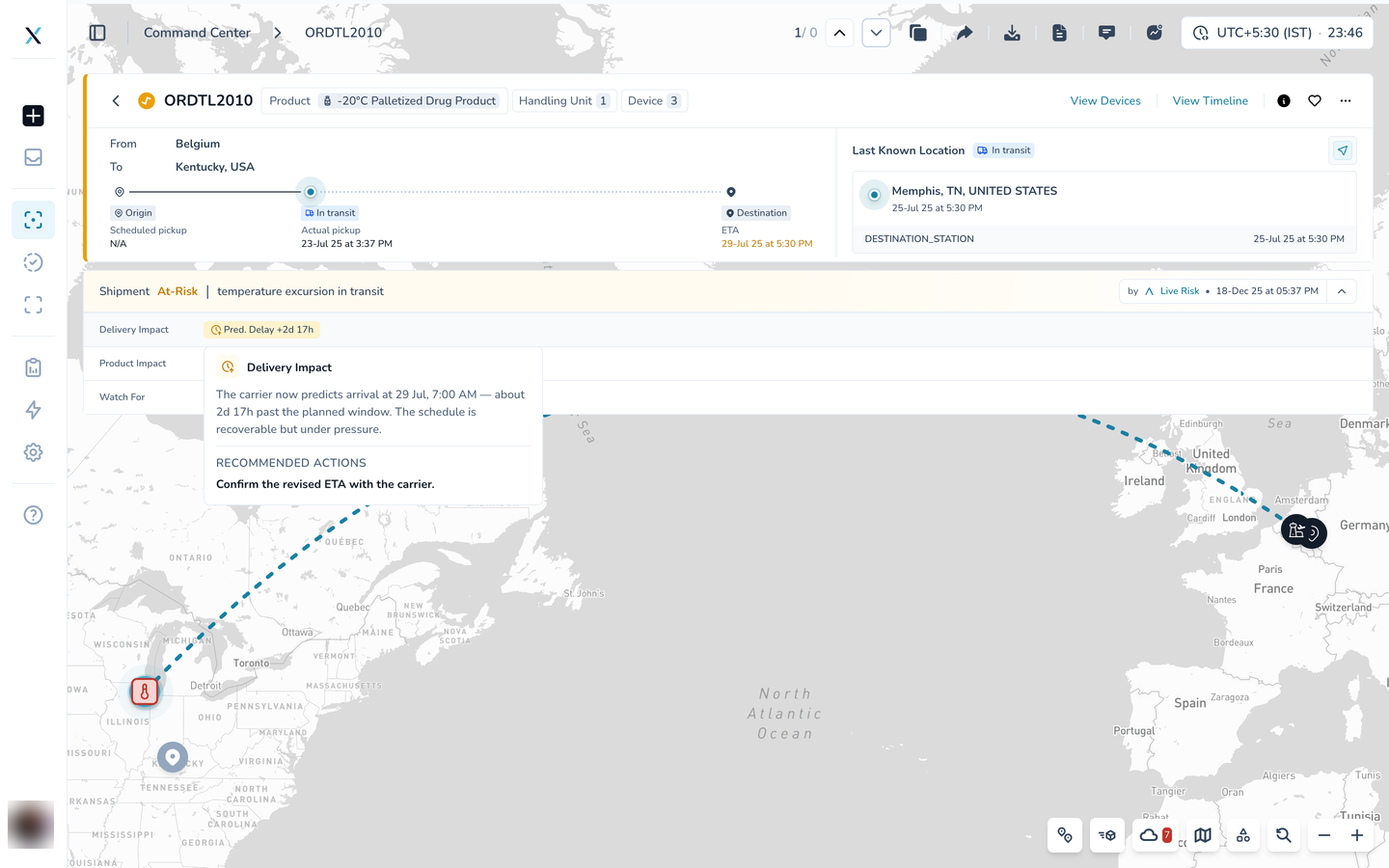
Every chip opens a small card on hover. The card explains the finding in plain words and ends with Recommended Actions: what the agent suggests you do next.
Delivery Impact. The carrier's predicted arrival, how far past the plan it is, and the suggestion to escalate to the carrier.
Product Impact. The temperature has crossed the allowed range, the budget is at zero, and the excursion needs a quality review before release.
Watch For. The external event on the lane, with a pointer to the map and timeline for context.
Collapse the band when you need the map
The arrow at the right end of the band folds it to its first line, so the verdict stays visible while you work with the map. The band also collapses on its own when you open the Timeline or Devices tab. Click the arrow again to expand it.
The same band, a different verdict
Here is a second shipment, this time At-Risk. The agent sees a predicted delay from the carrier and a temperature excursion, but the stability budget still has 76 percent left. The verdict is amber rather than red, the chips say Pred. Delay +2d 17h and Excursion, and the recommended action is to confirm the revised ETA with the carrier rather than to escalate.
Good to know
On-Track means nothing needs your attention. At-Risk means something is developing and can still be recovered. Off-Track means the plan or the product is already compromised.
The agent re-assesses a shipment when a milestone arrives, when the device risk changes, or when nothing has been heard for too long. The date on the right of the band is the time of the last assessment.
Chips describe the situation in words on purpose. The live numbers (delay, budget, temperature) come straight from the shipment data and update as new readings arrive.
Part of the CONTXT v3.0 release