Split Shipment / Multiple Device Tracking
Last updated: May 8, 2026
Shipments can have multiple devices assigned for tracking. The platform uses a primary device for shipment status and location, but you can view all associated devices when needed.
A “split shipment” is not a system configuration—it’s a real-world logistics scenario where:
Part of the shipment continues moving
Another part is delayed, left behind, or moved separately
This can result in multiple tracking devices reporting different locations for the same shipment.
Why Split Shipments Happen
These situations are common in logistics operations.
Air Freight Capacity Constraints
Aircraft may only fit a fixed number of pallets (e.g., 16 positions)
If 18 pallets arrive:
16 are loaded
2 are left behind for the next flight or returned to storage
Ground Transport Changes
A truck may break down and be replaced with a smaller vehicle
Example:
Original truck carries 18 pallets
Replacement truck fits only 12
Remaining pallets stay behind
How This Appears in the Platform
When a shipment is split:
Multiple devices may be assigned to the shipment
Devices may show different locations at the same time
The shipment still appears as a single logical shipment
Understanding Primary vs. Secondary Devices
The primary device:
Drives the shipment’s location tracking
Determines shipment state progression:
Created → At Origin → In Transit → Delivered → Completed
Secondary devices:
Provide additional tracking data
Do not control shipment state
3. View all device locations
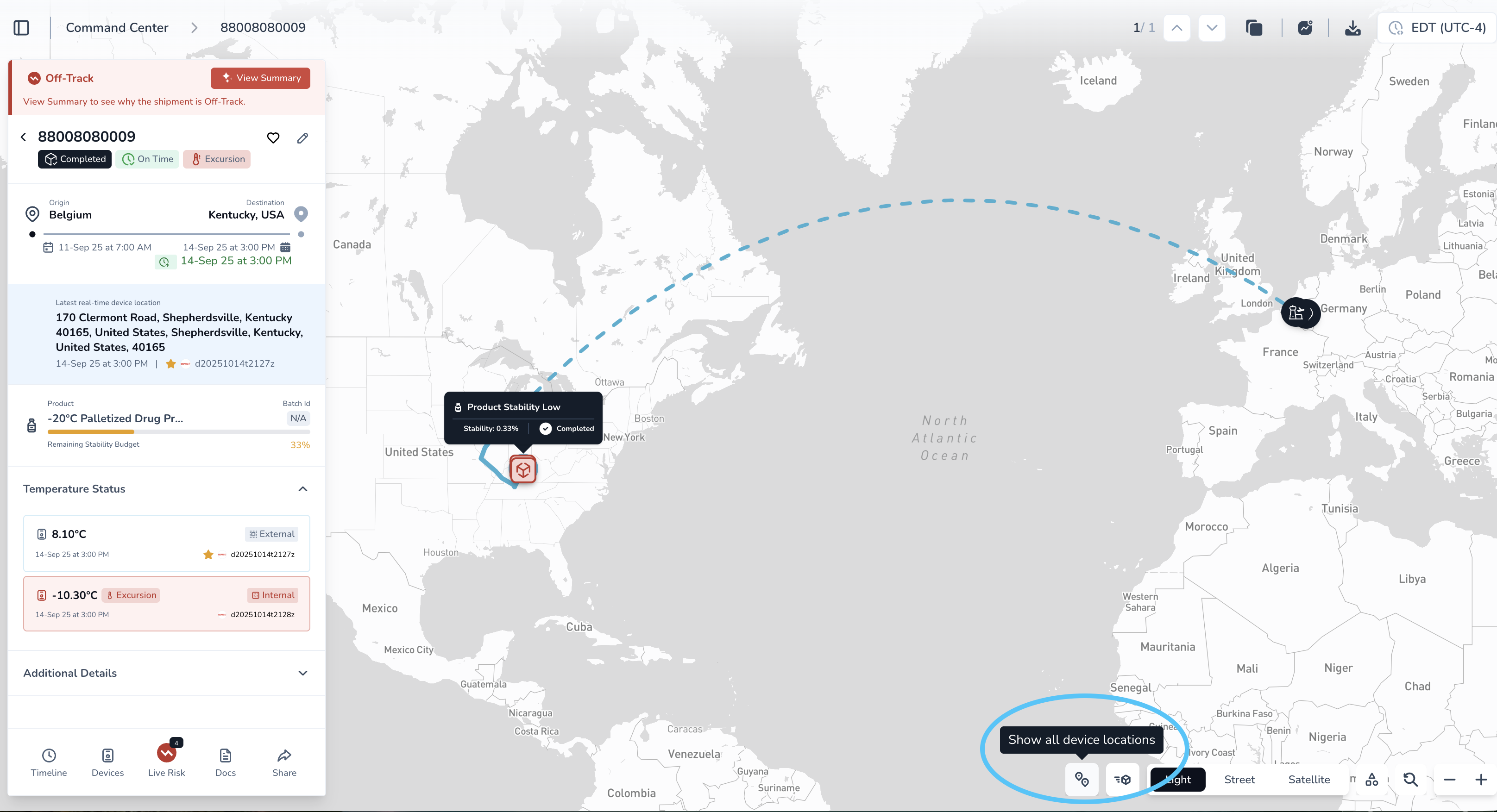
On the shipment map, click:
“Show All Device Locations” (bottom of the screen)
You will now see:
The primary device location
All secondary device locations
If multiple devices exist:
Scroll through the list
Select a device to view its specific location on the map
4. Toggle between devices
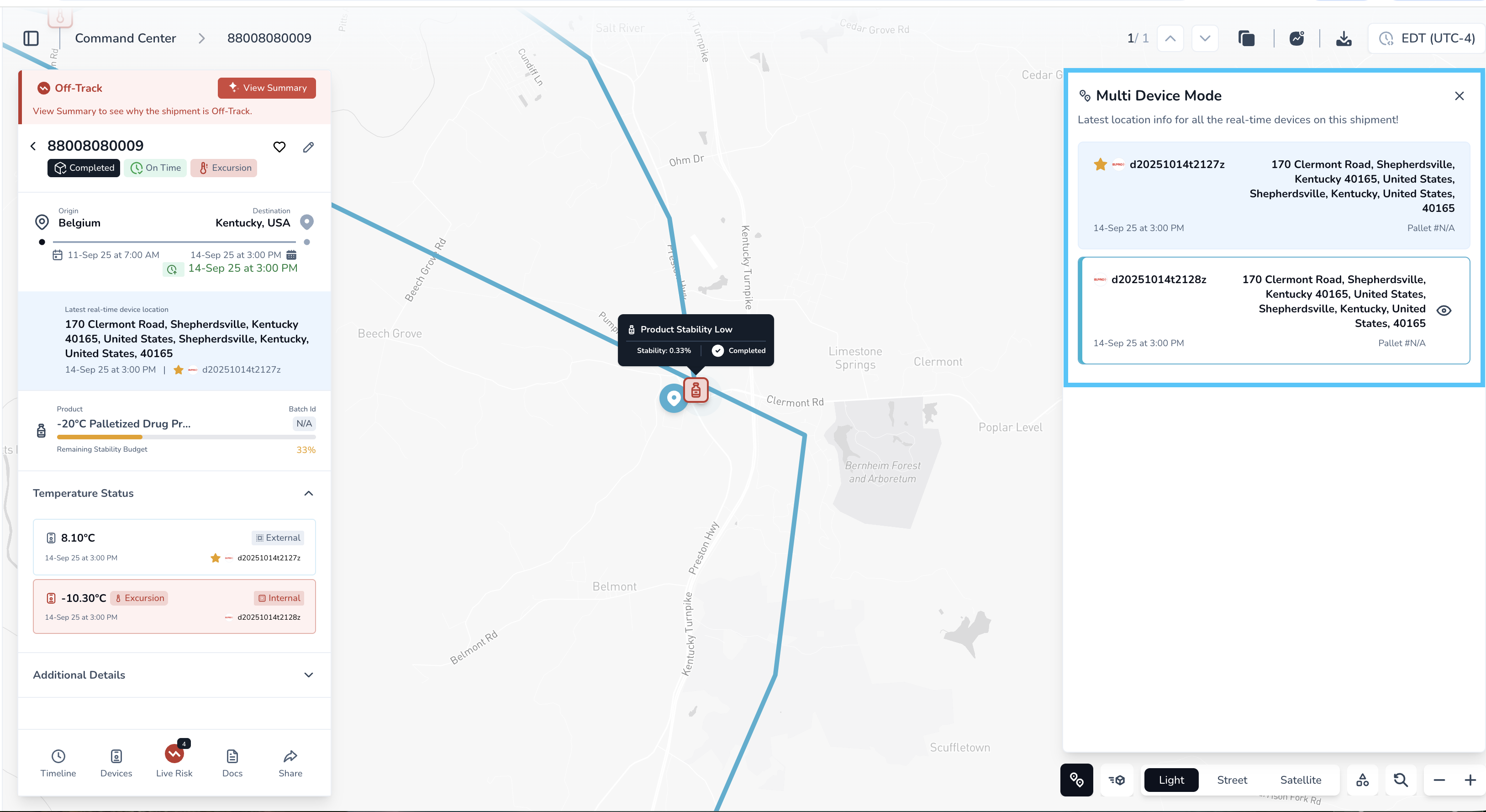
Click on a specific device to view its location
Deselect or switch back to return to the primary device view
What to Expect
Devices may show slight location differences
This is normal due to cell tower triangulation
Devices can appear slightly offset but still be within the correct location (for example, within ~1 mile radius)
Why this matters
Helps validate shipment location accuracy
Provides visibility into multiple tracking sources
Useful for troubleshooting discrepancies between devices