Access Explained: Permissions, Roles, and Data Visibility
Last updated: May 8, 2026
This is the most important section to understand correctly
Feature Access (What Users Can Do)
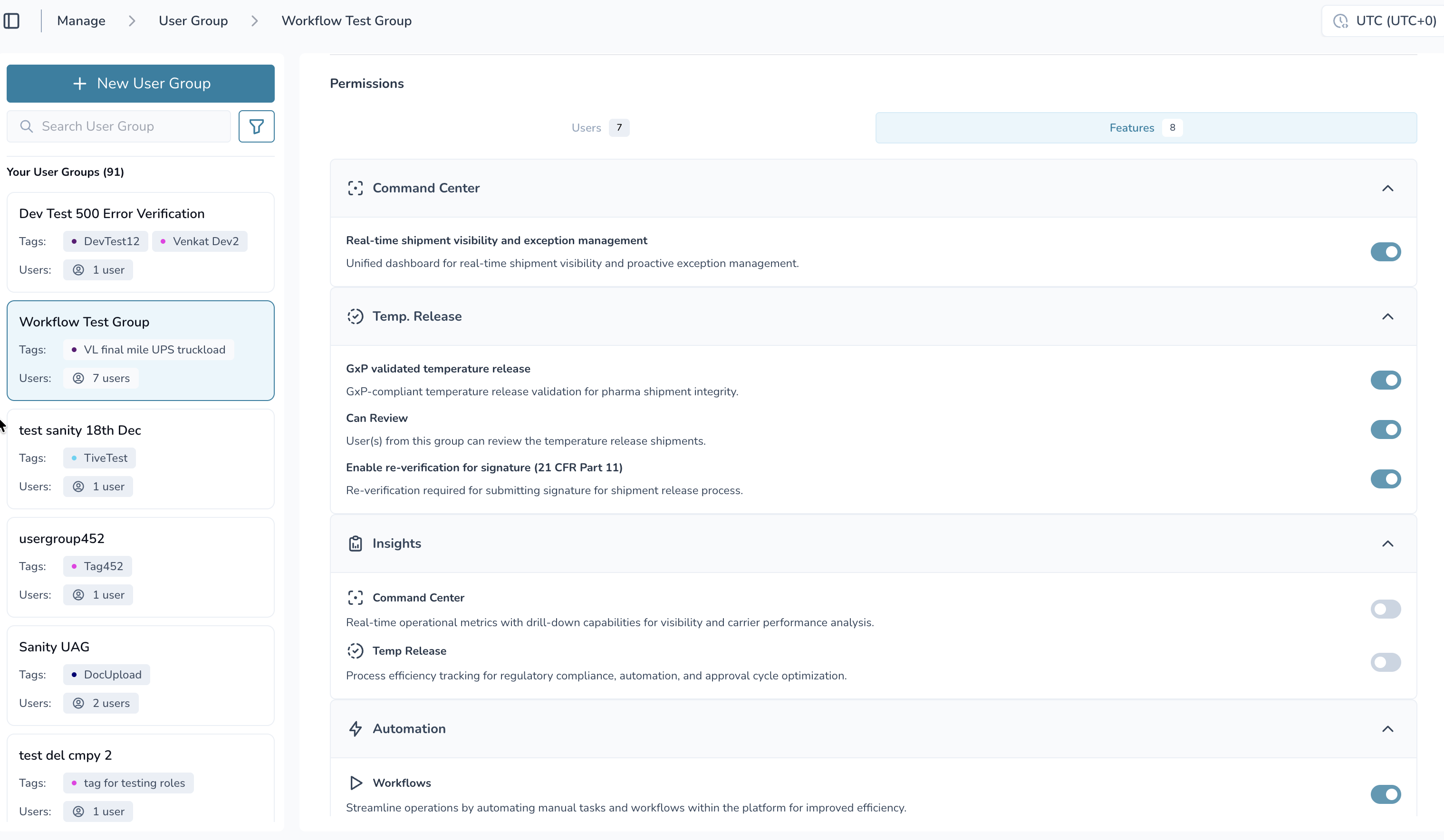
Feature access determines what actions a user can take in the platform.
Controlled at the User Access Group (UAG) level
Applies to all users in that group
Not role-specific within the group
How it works:
If a feature is ON → users can access it
If a feature is OFF → users cannot access it
Examples of features:
Command Center
Temperature Release
Lane Profiles (Configuration)
Insights
Workflows (Automation)
👉 If you cannot access a feature, check if it is enabled in your User Access Group.
Data Access (What Users Can See)
Data access is controlled using tags.
Tags can be applied to control access to:
Shipments - Control which shipments users can view and manage
Lanes - Restrict access to specific shipping lanes and routes
Products - Limit visibility to certain product profiles and categories
Locations - Control access based on geographic regions or facilities
Partners - Manage visibility of partner and customer data
Business units - Segregate data by organizational divisions
👉 Users only see data that matches their group’s tags
Multiple Groups = OR Logic
If a user is in multiple groups:
Feature access = any enabled feature across groups
Data access = all tags across groups
Example:
User in Group A → Tag: US-Operations, Vaccines
Same User in Group B → Tag: Europe-Distribution
➡ User sees US-Operations, Vaccines and Europe data
User Roles
Access to User Access Groups features depends on your assigned role:
Feature | Admin | Member | External User |
Create User Groups | Full Access | No Access | No Access |
View User Groups | Full Access | View Only (assigned groups) | No Access |
Edit User Groups | Full Access | No Access | No Access |
Delete User Groups | Full Access | No Access | No Access |
Manage Feature Flags | Full Access | No Access | No Access |
Assign/Remove Users | Full Access | No Access | No Access |
View Activity History | Full Access | View Only | No Access |
Key Takeaways:
Only Admins can manage User Access Groups
Members have limited access
External Users have the most restricted access.
Access Level by Role and Tags
Data Type | Admin | Member | External User |
Feature-enabled data (general) | Full access regardless of tags | Tag-matched data only | Tag-matched data only |
Shipments | Full Access (View, Edit, Delete) | Partial Access (View, Edit) | View Only |
Lanes | Full Access | View Only | No Access |
Products | Full Access | View Only | No Access |
Reports | Full Access | View and Export | View Only |
Temp. Release review | Requires matching tags + Can Review enabled | Requires matching tags + Can Review enabled | No Access |
Important Exception: Temperature Release
Even Admins do not automatically have review access.
To review Temperature Release shipments, a user must:
Have “Can Review” enabled in their User Access Group
Have matching tags for the shipment
This ensures compliance with GxP requirements.
Admin vs Member Data Visibility
Admins
Can access all data within enabled features
Not restricted by tags (except Temperature Release review)
Members & External Users
Can only see tag-matched data
Access is filtered based on their User Access Group
Activity History & Audit Trail
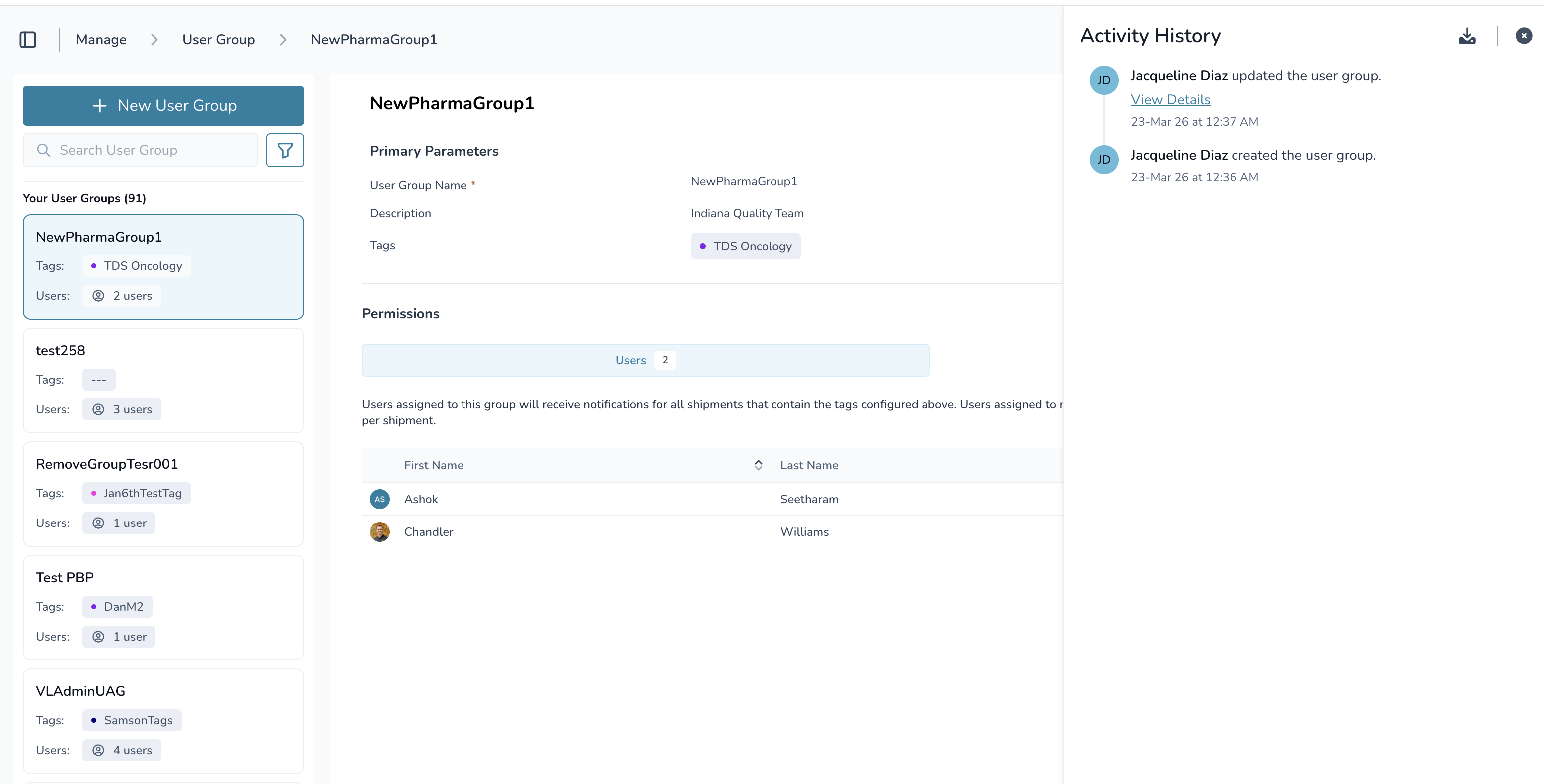
All changes to User Access Groups are tracked for compliance.
Tracked actions include:
Group creation and deletion
User additions and removals
Permission changes
Feature enablement updates
Tag assignments
Name and description updates
This audit trail supports GxP compliance and traceability
Common Troubleshooting
“I can’t see a shipment”
Check if your User Access Group has the correct tags
“I can’t access a feature”
Confirm the feature is enabled in your User Access Group
“I can see too much data”
You may belong to multiple groups (OR logic applies)
“I can’t edit lanes”
You must be an Admin
The Lane Profile feature must be enabled
Quick Summary
Access is determined by three things working together:
Features → what you can do
Tags → what you can see
Role → your baseline level of access
If something looks wrong, check all three.