Automated Product Release Workflow and Status
Last updated: April 30, 2026
⬆ Watch the video explanation above ⬆
Understanding the Updated Temperature Release Review Workflow
You can assign a reviewer with a single click.
By selecting Assign, you can immediately assign yourself or another authorized team member—there’s no longer a separate “Start Review” step.
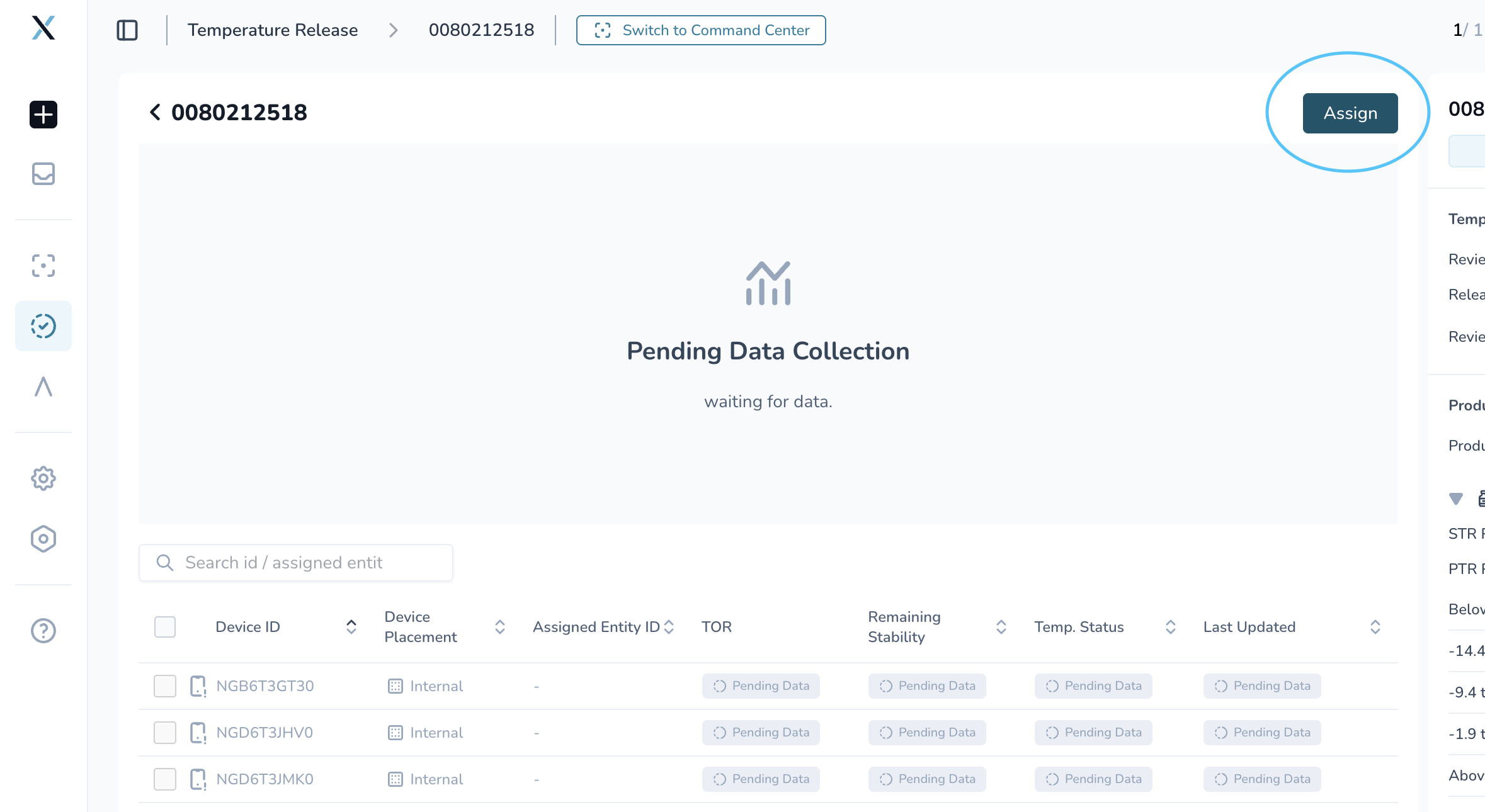
If no reviewer is assigned, any authorized user within the User Access Group can assign themselves and begin the review. This ensures reviews don’t stall simply because a specific reviewer wasn’t pre-selected.
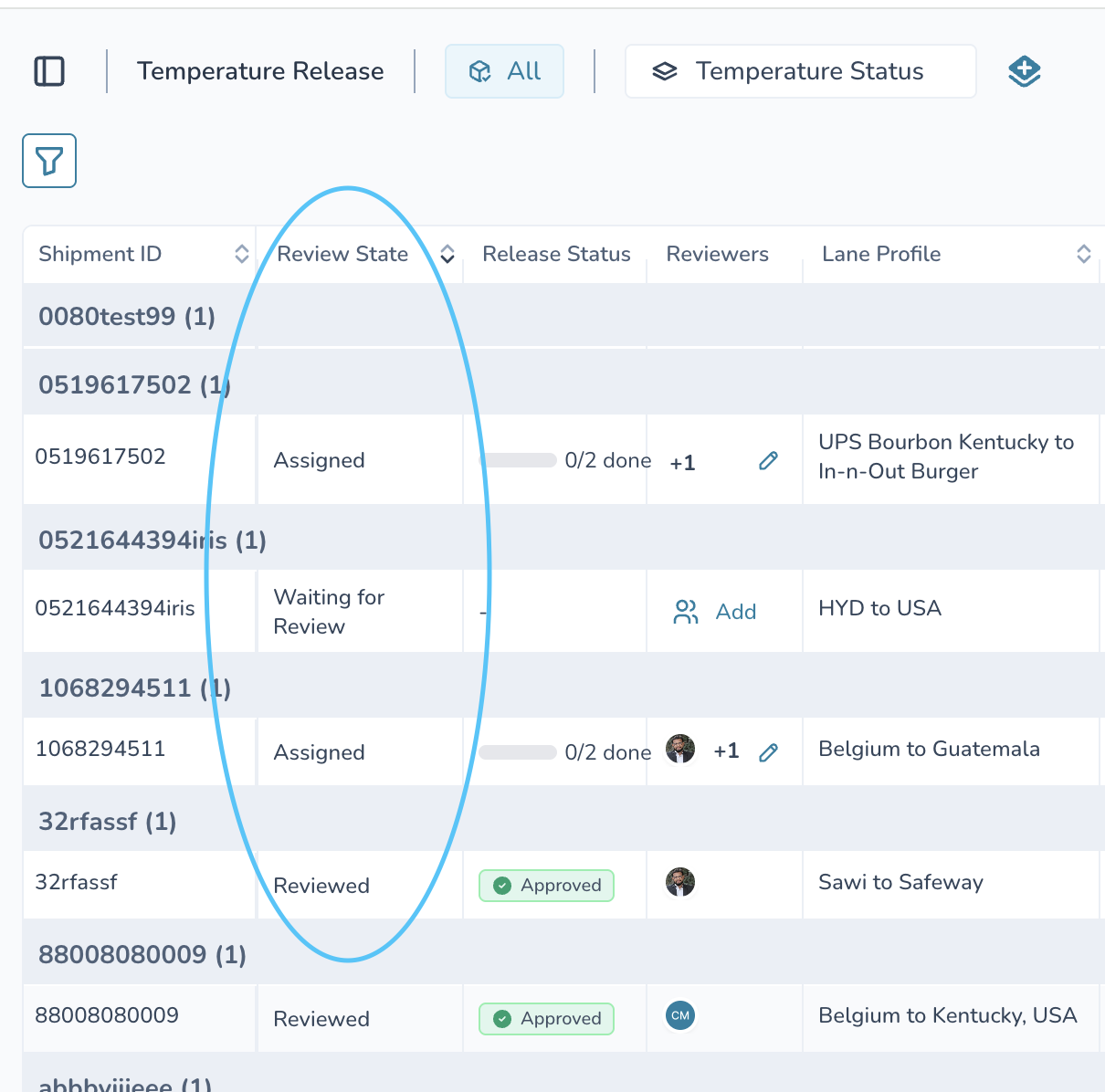
You’ll also notice a new Assigned status.
This replaces the previous “In-Review” state and clearly shows when a shipment already has someone actively responsible for the review.
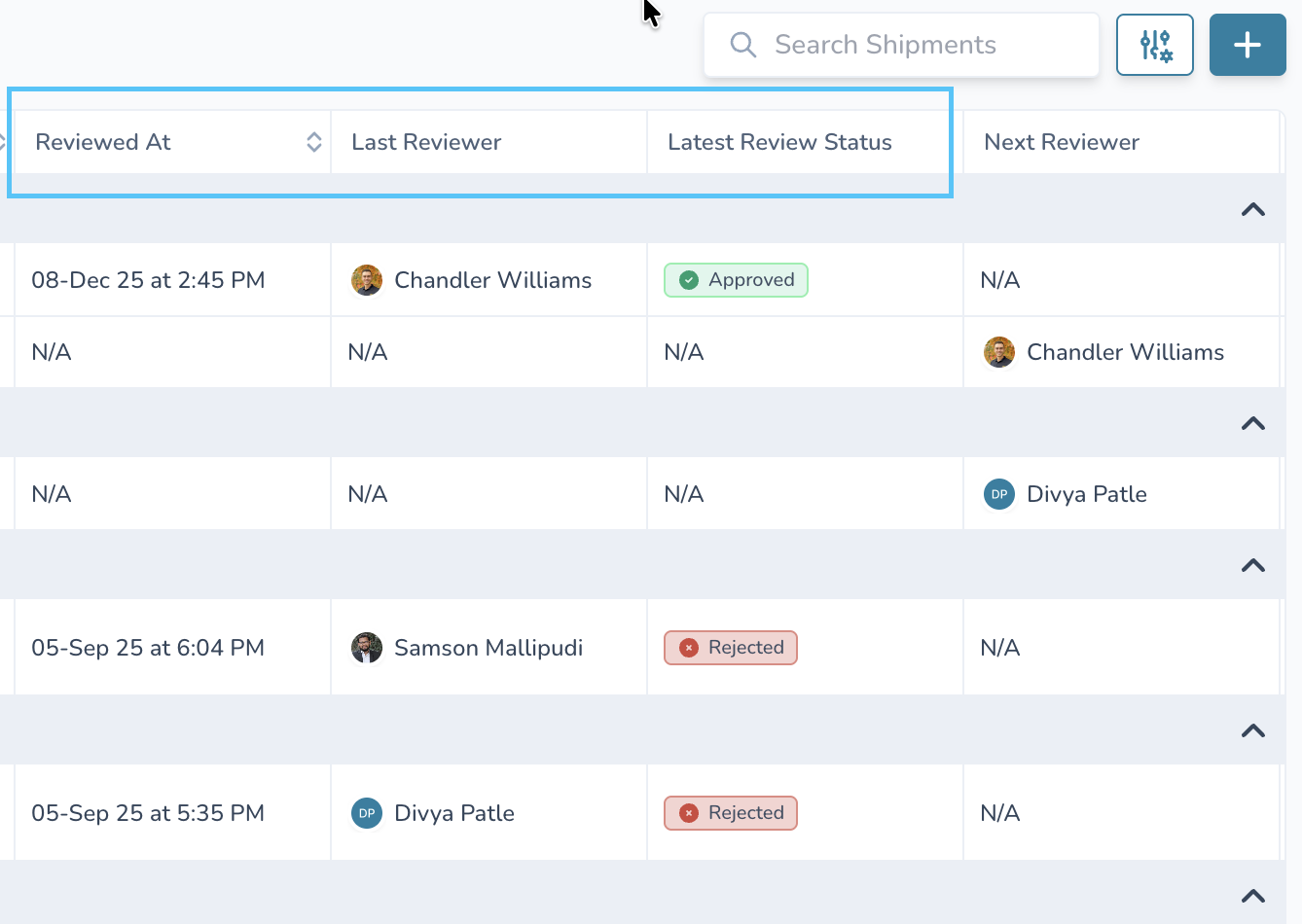
Finally, reviewer visibility has been improved. You can now quickly see who last reviewed a shipment and what decision they made, without needing to open the shipment details.
Why This Is Important
This removes unnecessary steps from the review process and reduces ambiguity around ownership. Reviews can move directly from assignment to submission, saving time and helping teams stay aligned.
The result is a faster, clearer, and more efficient Temperature Release workflow.