Changelog: CONTXT v2.2
Last updated: February 11, 2026
Released February 12, 2026
We're excited to share improvements to CONTXT focused on temperature data clarity, enhanced sharing capabilities, and better workflow visibility. These updates address feedback from our enterprise customers and improve data accuracy across your supply chain operations.
🆕 What's New
Consistent Temperature Display Across All Screens ⭐
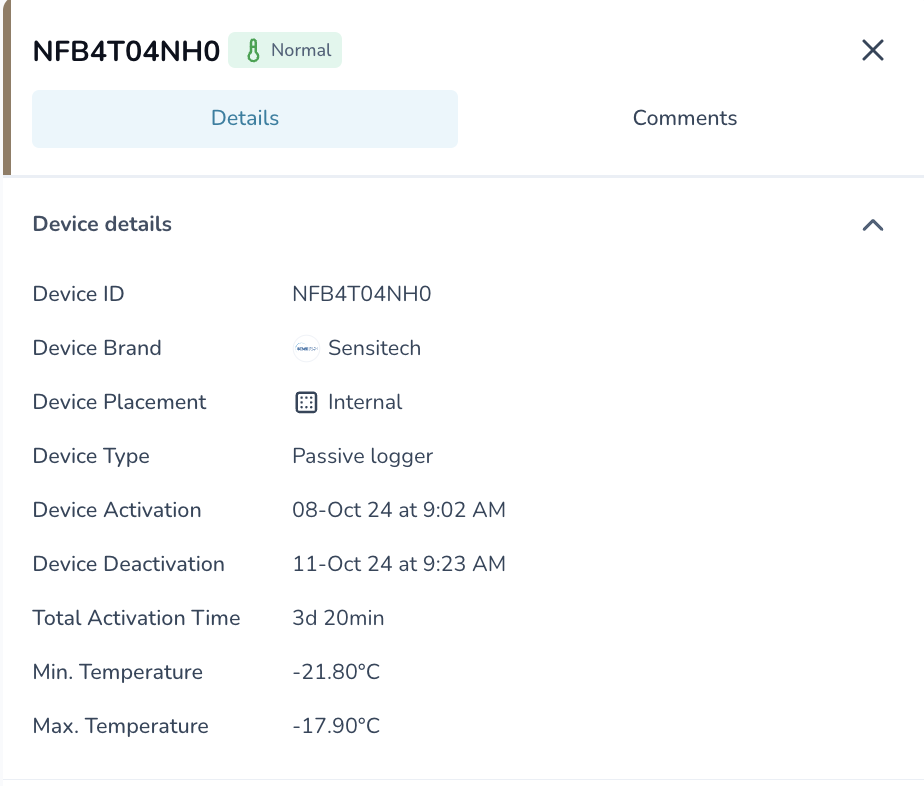
Every temperature reading now shows exactly 2 decimal places
You no longer need to guess if a temperature reading of "5" means 5.0°C or if it was rounded from 5.4°C. All temperature values across Command Center, Temperature Release, and Product Profiles now consistently display with 2 decimal places.
Input fields preserve your precision: Enter 8.0°C and the system displays 8.00°C
Graphs show accurate values: Tooltips and chart axes display 2 decimal places
Product profile validation is clear: When your product boundary is 5.1°C, you can now see if a reading of 5.0°C is within range
Consistent rounding: Values round using standard banking rules (8.655 rounds to 8.66)
Why this matters: Customers reported confusion when validating temperature data against CSV exports and product specifications. With a consistent 2-decimal display, you can now confidently verify that your products stayed within acceptable temperature ranges.
Clearer Temperature Range Labels
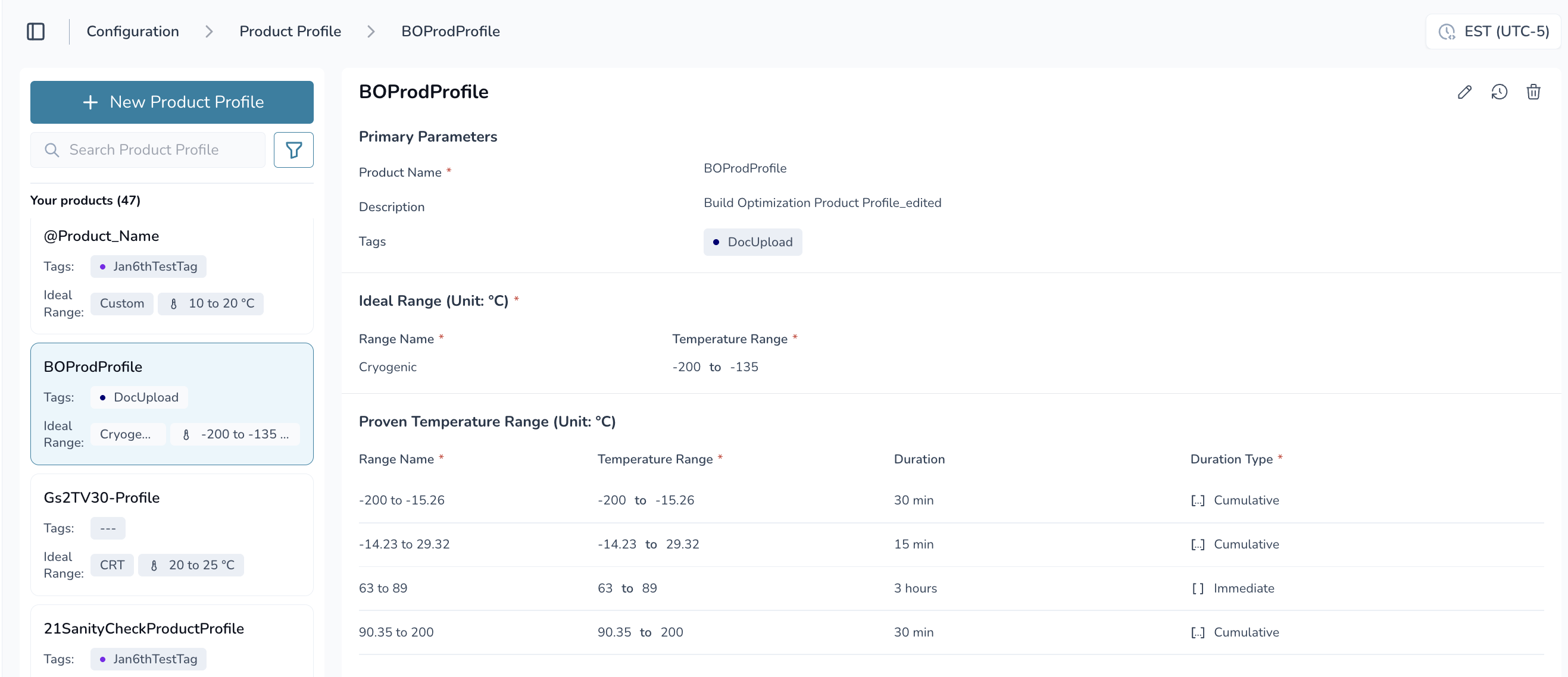
"STR" is now called "Ideal Range" throughout the platform
The temperature chart turns red when your shipment breaches the Ideal Range - the target temperature range for optimal product handling. This terminology better reflects what the system monitors and makes it clearer why certain periods are highlighted.
Temperature charts highlight Ideal Range breaches in red
Product Temperature Range (PTR) tracks time-based stability separately
Labels updated across Product Profiles, Command Center device tabs, and Temperature Release
Why this matters: Customers told us the STR/PTR terminology was confusing, especially when trying to identify which periods were out of range. "Ideal Range" better describes the carrier operating range that triggers visual alerts.
Download Shipment Reports from Share Links
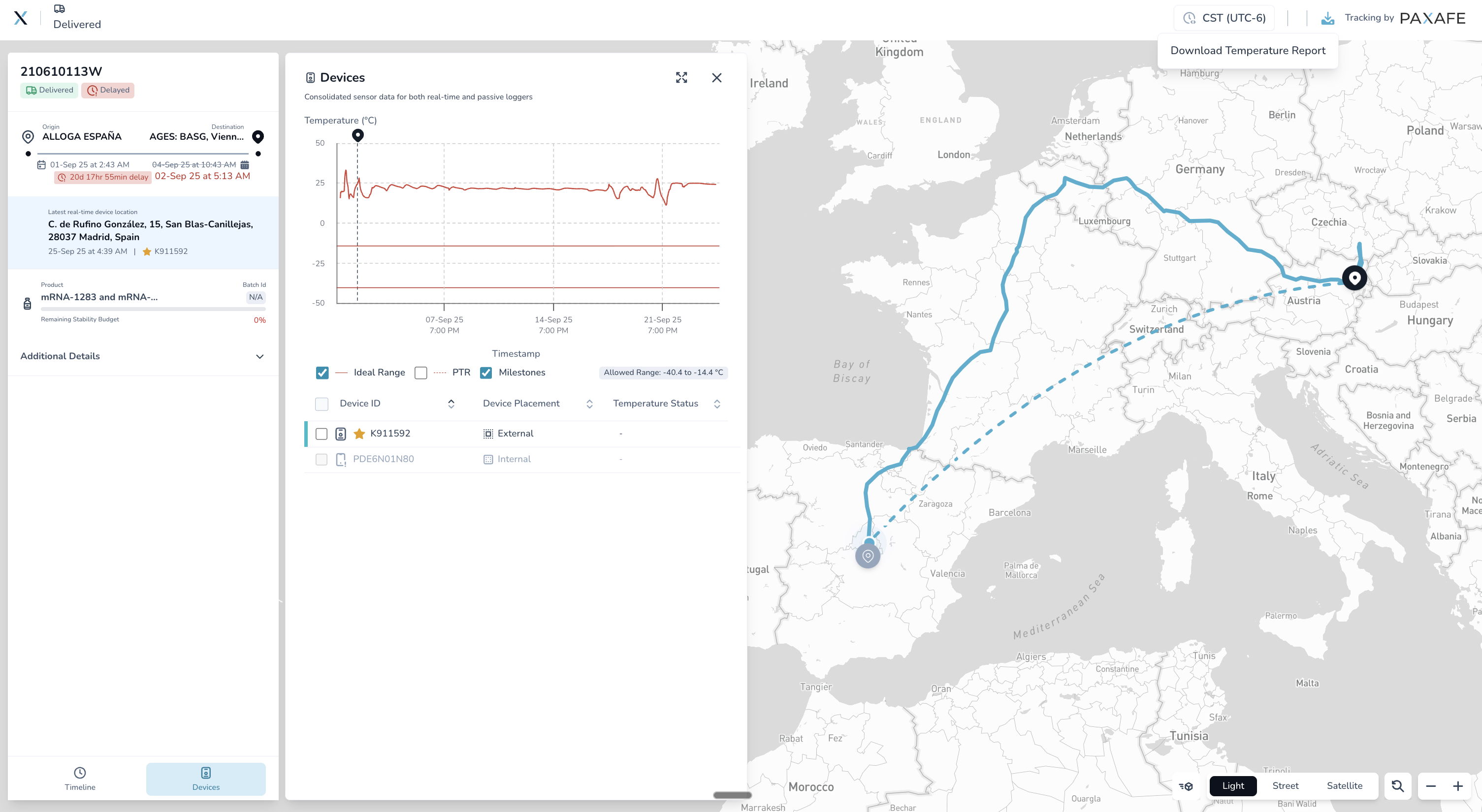
External partners can now download 21CFR Part 11-compliant PDF reports without logging in
When you share a "Location + Product Condition" link, recipients can now download a comprehensive, compliance-ready PDF report directly from the share link. The report includes temperature charts, excursion summaries, and complete shipment details formatted for regulatory documentation.
One-click PDF download from external share links
21CFR Part 11 compliant reports for regulatory requirements
Reports include Ideal Range and Product Temperature Range details
Device provider and carrier logos automatically included
Works for all temperature-enabled shipments
Why this matters: Customers requested the ability to share professional reports with partners who don't have CONTXT access. Now your carriers and customers can download formatted reports showing product condition throughout transit.
More Shipment Details on External Links
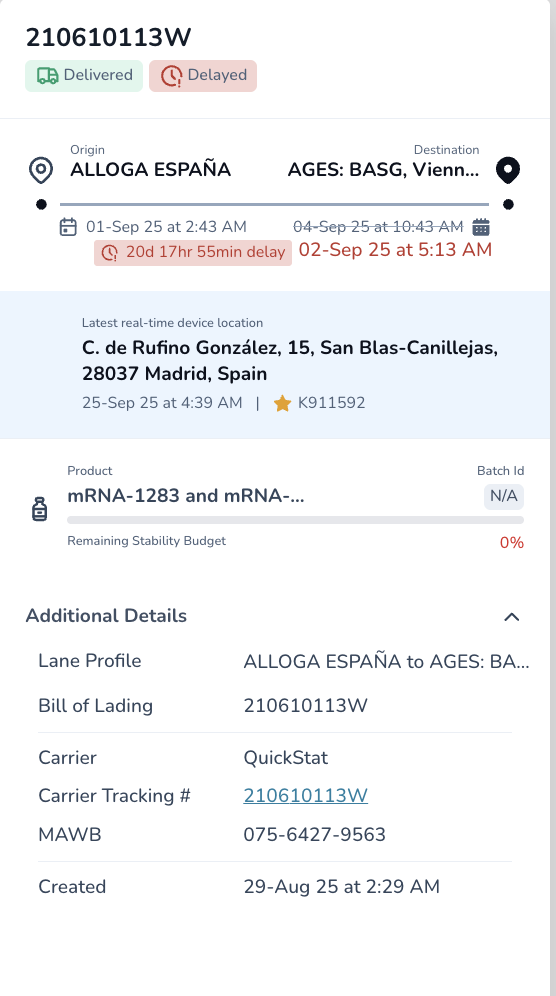
Share links now show comprehensive shipment information
External recipients viewing your shared shipment links now see:
Lane Profile and shipment description
Carrier name and tracking ID
Requested pickup and delivery times
Flight number and vessel IMO links (for air and sea shipments)
Shipment creation timestamp
Why this matters: Partners viewing your share links get complete context about the shipment without needing to contact you for basic details.
Understand Why Workflows Failed
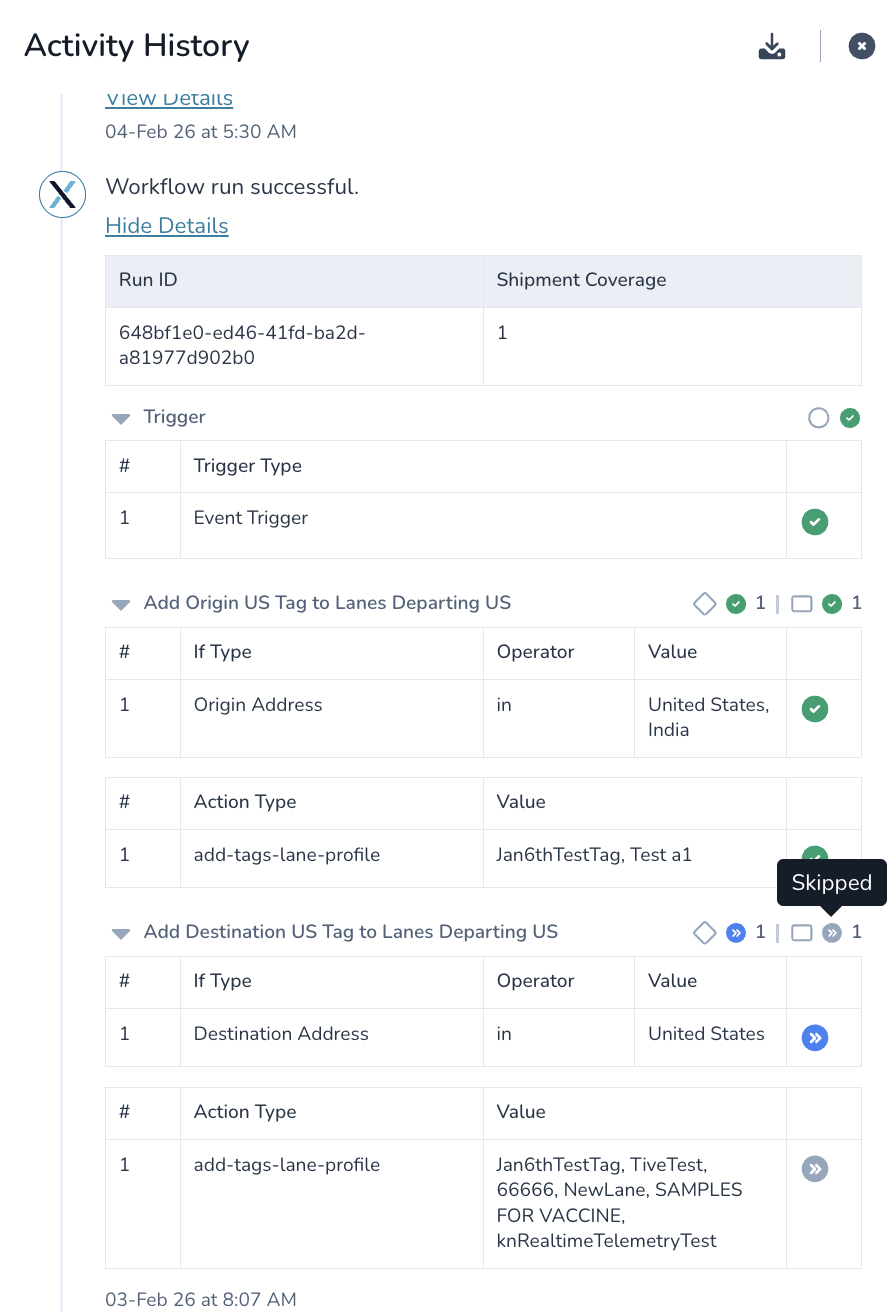
Workflow execution history now shows specific error messages
When automation workflows fail, you can now see exactly why each step didn't execute. Hover over failed steps in the workflow history to view detailed error messages.
Failed steps show specific error messages on hover
Audit trail displays which condition wasn't met
Workflow history shows complete execution context
Why this matters: Instead of guessing why a workflow didn't assign reviewers or update release status, you can now see the exact reason (like "No remaining_stability_budget found for shipment"). This speeds up troubleshooting and helps you adjust workflow conditions.
Upload More Document Types
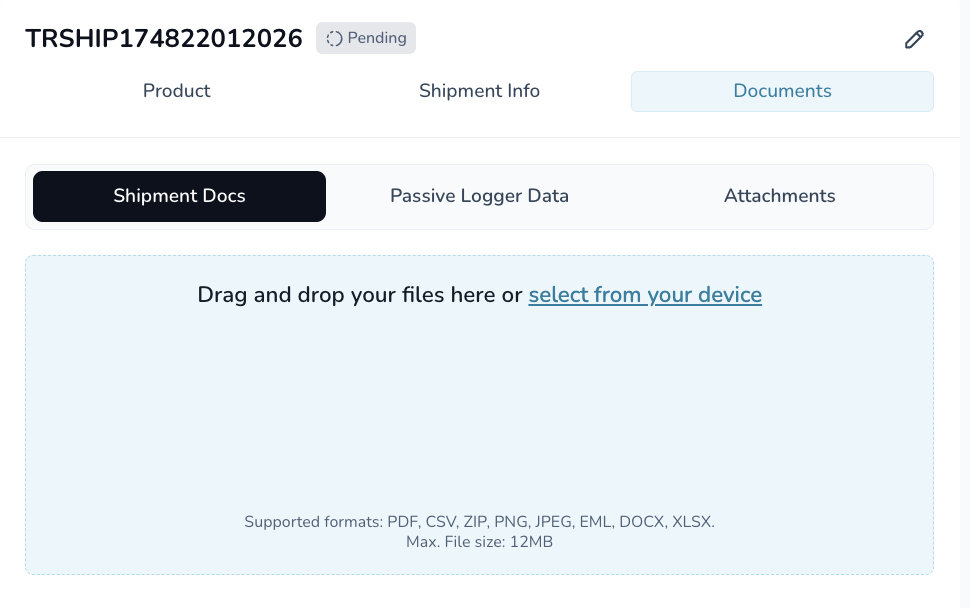
Attach emails and office documents to the Shipment Documents tab
You can now upload additional file types to the Shipment Documents tab for record keeping and audit purposes. These newly supported file types include:
.eml - Email files from Outlook or other mail clients
.docx - Microsoft Word documents
.xlsx - Microsoft Excel spreadsheets
Important: These documents are stored alongside your shipment records but are not parsed for data extraction. They serve purely as complementary reference files to keep all shipment-related documentation in a single place for compliance and audit purposes.
All uploaded files continue to be virus-scanned for security.
Why this matters: Customers requested the ability to attach email correspondence, investigation reports, and supporting documentation directly to shipment records. Keep all related documentation in one place without converting files to PDF first.
Download Detailed Location Data
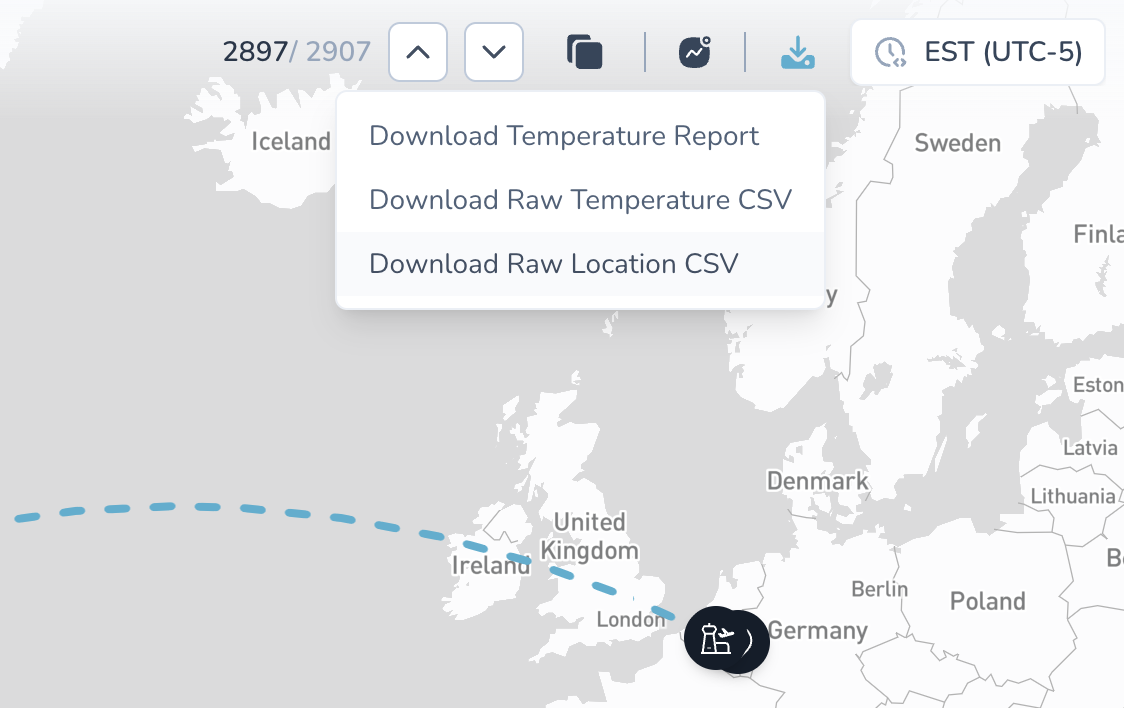
CSV exports now include raw location data for primary devices used in real-time tracking
When you download device location data from Command Center shipments, the CSV now includes comprehensive raw location data from the primary device tracking your shipment in real-time. Each location record includes:
Cellular signal strength (dBm) and network type (LTE, 5G)
Cellular operator information
WiFi access point counts
GPS accuracy and location source (GNSS, cellular, WiFi)
Altitude readings
Complete address breakdowns (street, city, state, postal code, country)
Why this matters: Analyze device connectivity patterns and location accuracy for your most critical routes. Identify areas with poor cellular coverage that might affect real-time monitoring, and use this data for route optimization and carrier performance analysis.
🎨 Improved Experience
Smarter Filtering Behavior
Applying a second filter for the same field now updates your existing filter instead of creating impossible "AND" conditions. No more "no shipments found" errors from accidentally filtering for both California AND New York.
Complete Activity History
Activity history now captures:
Content of deleted comments (for audit purposes)
When attachments are added to comments
Full context of all shipment changes
Better Unsaved Changes Warnings
The system now consistently warns you about unsaved changes when navigating away from:
Workflow creation and editing
Shipment creation and editing
Profile and configuration changes
No More False Notifications for Historical Data
You'll no longer receive real-time notifications for temperature excursions when reviewing completed Temperature Release shipments. Notifications are now only sent for actively monitored shipments.
🔧 Behind the Scenes
System Improvements
Dynamic provider logos: Device and carrier logos load automatically from the database - no more manual updates when adding new providers
Fixed UI overlaps: Temperature Release "Show Details" buttons now work correctly without content overlapping
Accurate filter counts: Filter dropdowns now show correct shipment counts after backend improvements
Cleaner codebase: Removed legacy feature flags that were already deployed to production
🆘 Need Help?
Questions about temperature displays? Contact your Customer Success Manager
Setting up external share links? Check our updated documentation in the help center
Workflow troubleshooting? The new error messages in workflow history will guide you
Technical issues? Submit a support ticket through the help desk
Thank you for using CONTXT. We're committed to continuously improving your cold chain visibility with clear, accurate data you can trust.