Changelog: CONTXT v2.4
Last updated: March 11, 2026
Released March 12, 2026
CONTXT v2.4 delivers electronic signature compliance for regulated pharmaceutical workflows, a new shipment completion automation engine, and a built-in organization switcher for multi-org users. This release also brings Insights dashboard views, expanded document upload support, and several targeted fixes to filters, exports, and user display.
🆕 What's New
Electronic Signature for Temperature Release ⭐
You can now sign temperature release approvals with a compliant electronic signature that meets 21 CFR Part 11 requirements.
Each approval or review action presents an e-signature modal where you confirm your identity, enter your printed name, and acknowledge the meaning of your signature (Approve, Review, or Release)
Signatures are permanently bound to the specific shipment record and version — they cannot be separated, copied, or transferred
Your downloadable PDF temperature report now includes full signature details under the release section
Administrators control which User Access Groups require signature verification
Why this matters: Regulated clients can now complete GxP product release workflows entirely within CONTXT, with an audit trail that satisfies FDA electronic signature requirements.
Shipment Completion Automation ⭐
You can now automate shipment completion using configurable, lane-specific trigger combinations — no manual action required.
Two trigger types available: Shipment State Change (at-destination or delivered) and Light Sensor (package-opened detection)
Two pre-built templates to get started quickly:
Light Sensor → Completion — completes the shipment when the package is opened and the shipment is at destination or delivered
State Change → Light Sensor Check — on delivery, checks if the box is open; if not, waits 24 hours then completes
Why this matters: Customers operating across diverse lanes can define completion rules that match their real-world processes, reducing manual work and ensuring timely shipment closure.
Organization Switcher
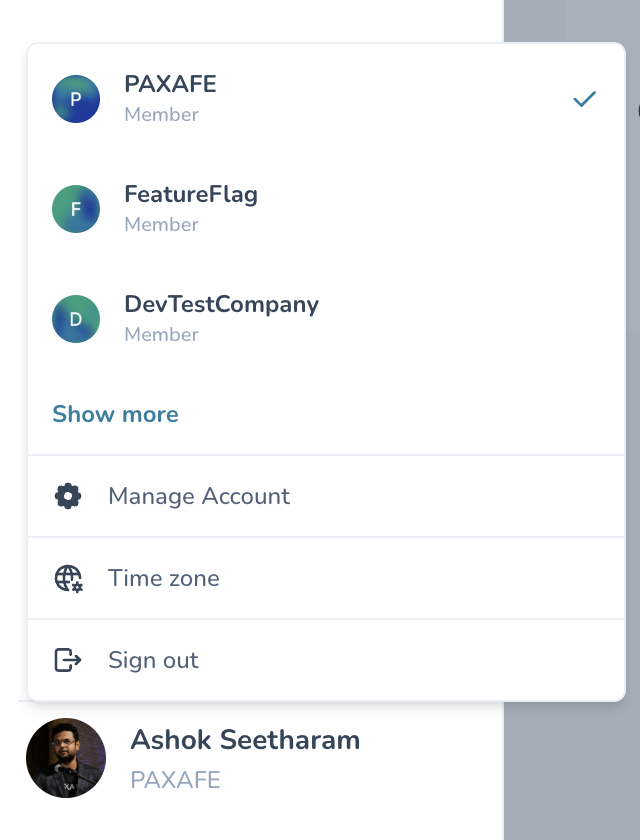
Users assigned to multiple organizations can now switch between them directly from the user avatar menu.
Select your active organization from a clear list showing all your memberships
Only the selected organization's data is visible — enforced at the database level
All platform sections respect the active organization context: shipments, product profiles, labels, and settings
Why this matters: Multi-org users no longer see mixed data from multiple organizations, and switching context is instant without leaving the application.
Saved Views for Insights Dashboards
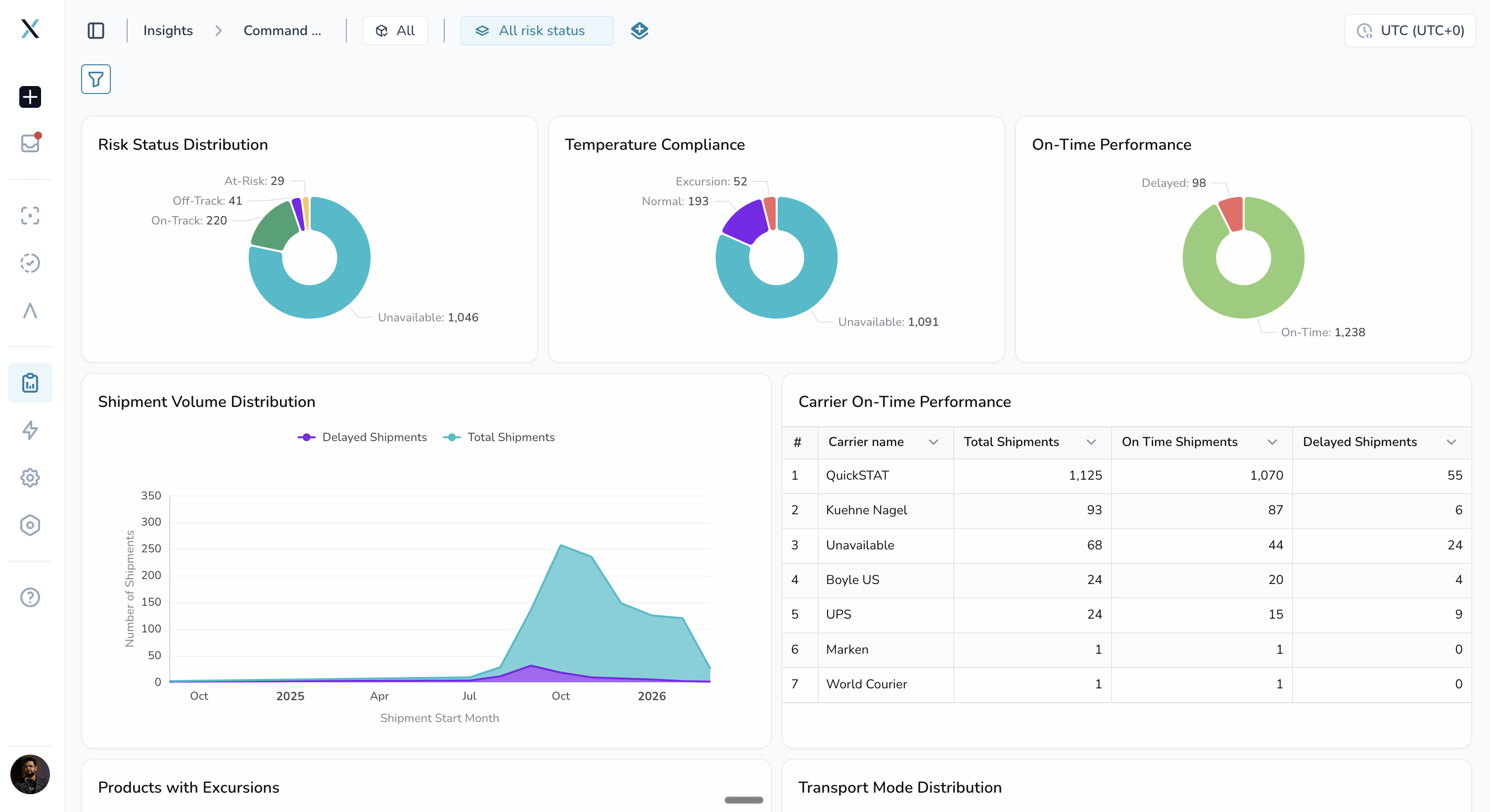
You can now create and manage saved views directly within Insights dashboards.
Create, edit, delete, and duplicate views for both Command Center and Temperature Release Insights
Mark any view as your default — it loads automatically when you open the dashboard
Your selected view appears first in the dropdown instead of being buried in a stacked list
Why this matters: You can set up filtered perspectives for your most common analysis scenarios and switch between them instantly.
🎨 Improved Experience
Expanded Document Upload Support
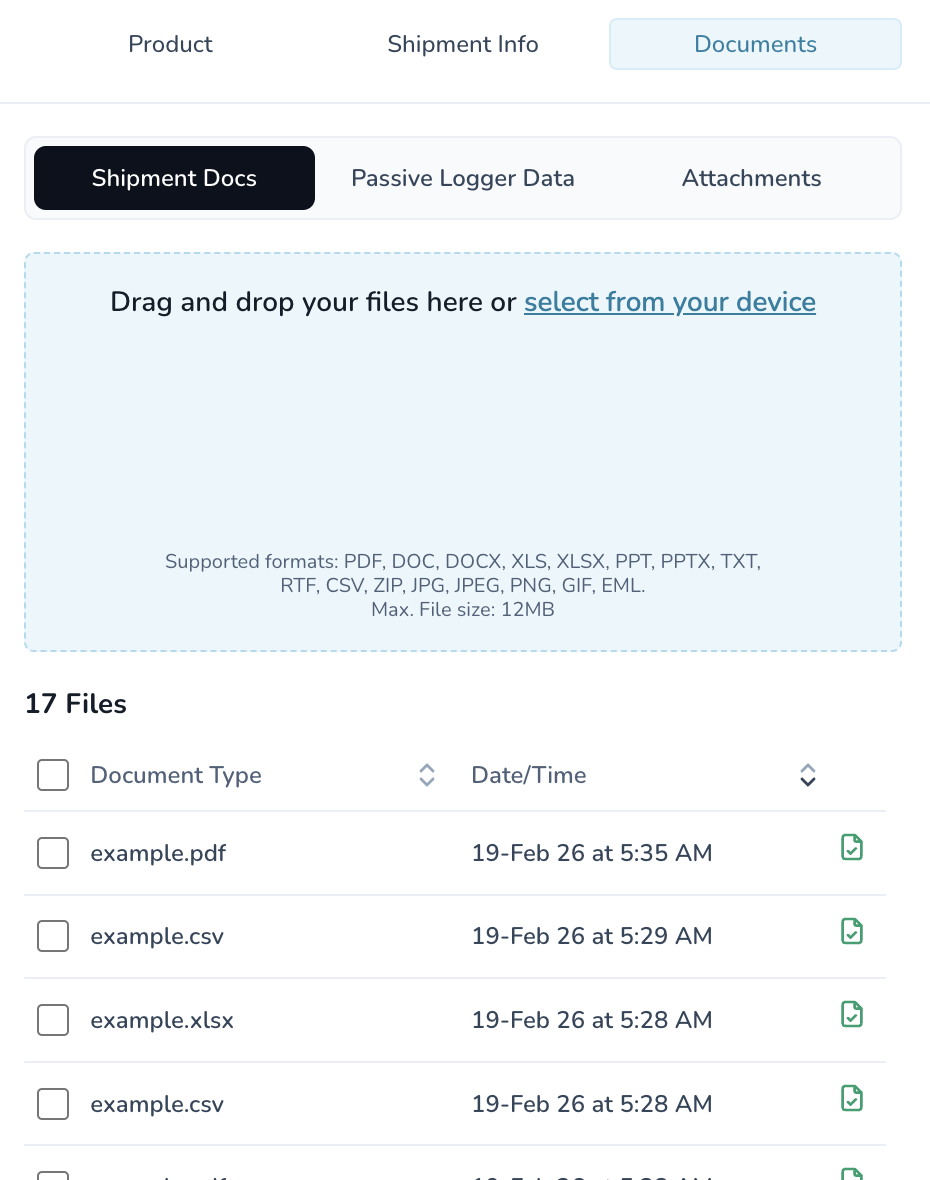
Shipment document uploads now accept 16 file types: PDF, DOC, DOCX, XLS, XLSX, PPT, PPTX, TXT, RTF, CSV, ZIP, JPG, JPEG, PNG, GIF, and EML. This means you can attach email files (.eml) and additional office formats directly to shipments without converting them first.
Carrier Column Visibility
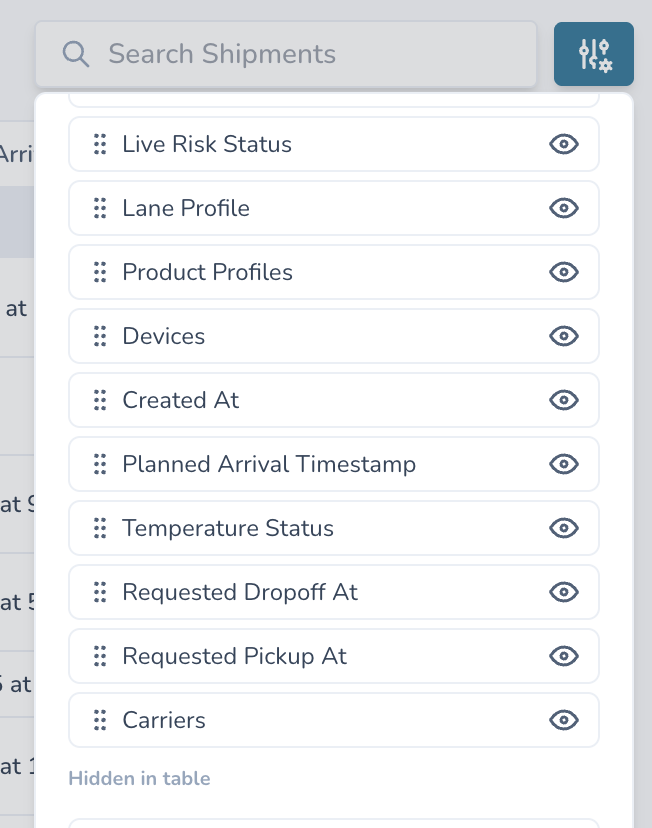
All users now see the carrier column when grouping shipments by primary state. Previously, users whose display preferences were saved before the carrier column was added were missing it. A data backfill ensures every user has a complete column set without needing to manually reset preferences.
🚀 Getting Started
All improvements are automatically available in your CONTXT dashboard. No action is required on your part.
For the electronic signature feature, your administrator will need to enable signature verification in the relevant User Access Group settings.
For shipment completion automation, navigate to the Workflow Builder to create your first automation using one of the three pre-built templates.
💡 Tips & Best Practices
🎯 Electronic Signatures:
Save your signature text in user preferences to reuse it across future reviews — you won't need to re-type it each time
The signature is shared across all organizations you belong to
🎯 Workflow Automation:
Start with the "State Change → Light Sensor Check" template for lanes where package opening is expected but not guaranteed — the 24-hour delay fallback ensures shipments still complete
Monitor long-running workflows using the new "running" status badge in workflow history
🎯 Organization Switching:
After switching organizations, all data across the platform updates immediately — no page refresh required
🆘 Need Help?
Questions about new features? Contact your Customer Success Manager
Technical issues? Submit a support ticket through the help desk
Feature requests? Share your feedback through the in-app feedback tool
Thank you for using CONTXT. We're committed to continuously improving your supply chain visibility with powerful, reliable tools.