Changelog: CONTXT v2.8
Last updated: May 8, 2026
Released May 14, 2026
CONTXT v2.8 delivers a redesigned, device-centric way to capture temperature data, brings per-organization branding and external-recipient workflows into Temperature Release notifications, and refines carrier and device-provider selection. The release also resolves a batch of customer-reported refinements across shipment detail, search, tags, and filters.
What's New
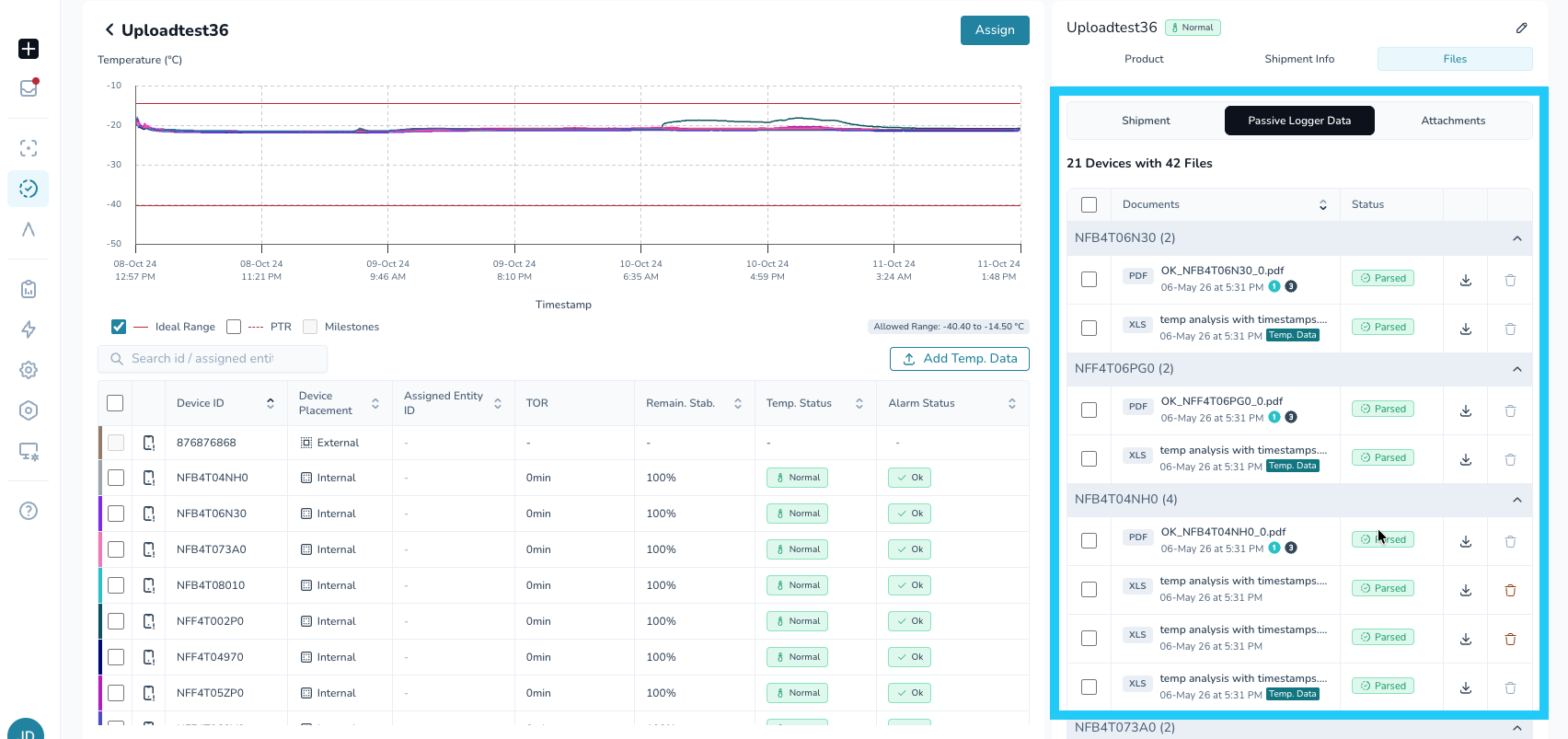
Device-Centric Temperature Data Upload
A simpler, more reliable way to capture temperature data on Temperature Release shipments.
Upload everything in one step
Drag and drop all temperature files at once. No need to choose between Excel, PDF, or manual entry upfront.Organized by device, not file
The platform automatically identifies devices from each file and groups them into a single, unified device table.Handles real-world file scenarios
Multiple files per device are supported and tied to the device itself. Duplicates and mixed formats are processed cleanly.Manual entry, when you need it
Add a device manually alongside uploads, such as capturing an excursion when no file is available.Validate before committing
View alarm status and product-profile alignment in real time before anything is added to the shipment.
Why this matters: Customers regularly upload duplicate or multi-format files for the same device. The new flow removes the upfront file-type choice and gives you a clear, device-by-device view of what was parsed and whether it matches your product profile — all before the data lands on the shipment.
Learn more: Managing Documents in Automated Product Release
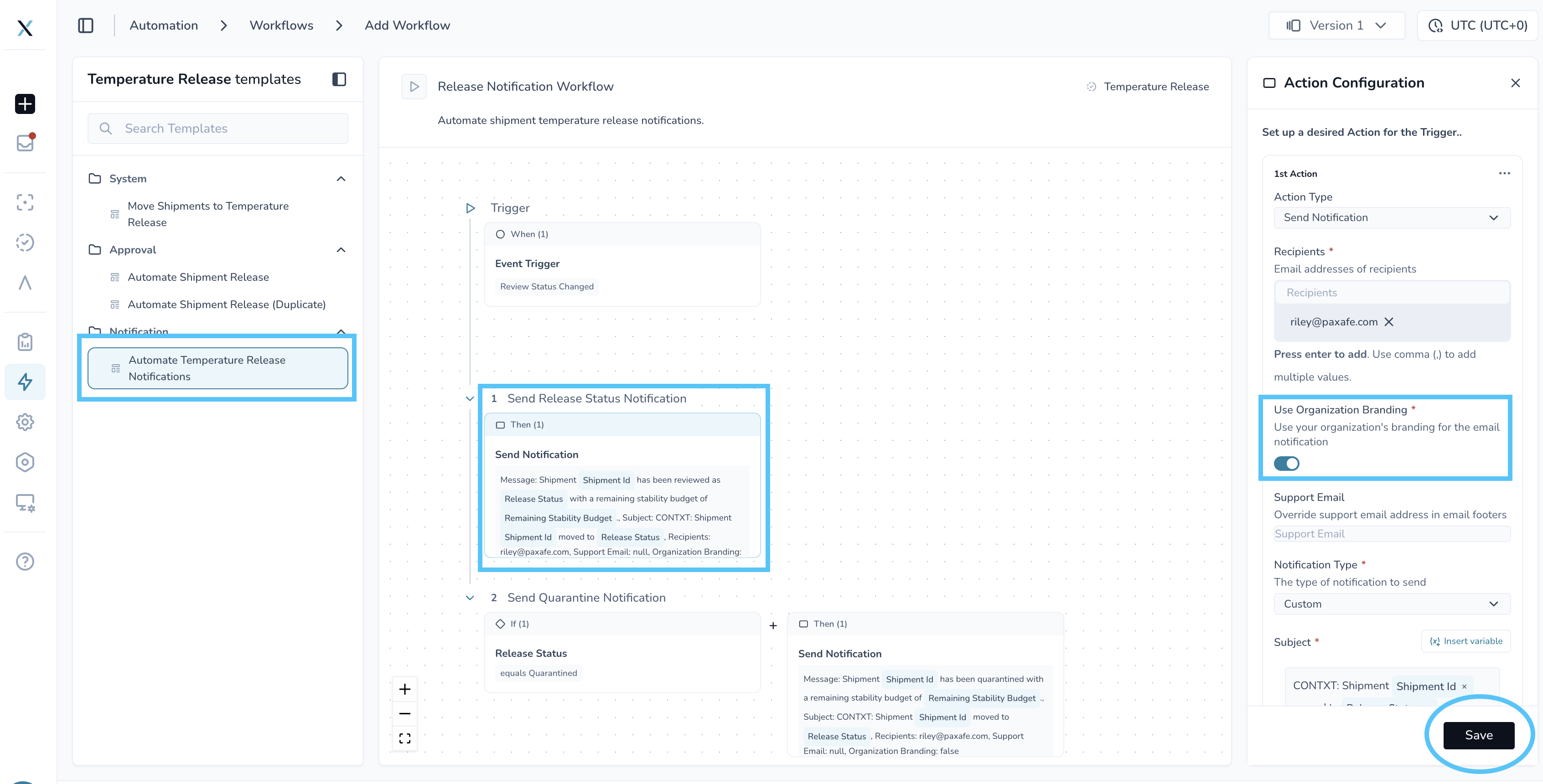
Branded & Non-Branded Email Notifications & External Recipient Workflows
Send branded notifications to your team, your customers, and external recipients - all from the same Temperature Release workflow templates.
Automatic branding per organization
Your organization’s logo is applied to each email at send timeNo setup required for existing workflows
All current Temperature Release notification workflows are automatically updatedNotify external stakeholders
Send updates to receivers, 3PL partners, and other stakeholders without giving them platform accessTriggered by workflow status changes
Emails are sent as Temperature Release progresses through configured statusesFlexible recipient configuration
Add recipients per shipment or through downstream rules — no account creation neededCustomizable email templates
Tailor logos, colors, and messaging to match your organization or customer
Why this matters: Teams often operate across multiple organizations where consistent branding matters, while still needing to share Temperature Release decisions with external stakeholders without platform access. This enables controlled, branded communication to the right audience.
Note: Branded email notifications and External Recipient Workflows are available on Temperature Release Module workflow templates today. If you'd like this enabled for Command Center, reach out to your CSM and we can add a new workflow template.
Learn more: External User Notification Workflow Setup
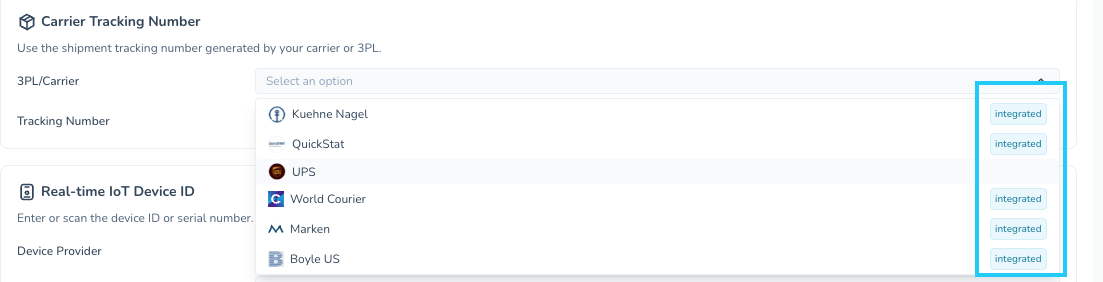
Enhanced Carrier and Device-Provider Dropdowns
Carrier and device-provider dropdowns now show a label when an integration is enabled for your organization.
Why this matters: Without a clear allowlist and integration indicator, users had to know by memory or by trial which carriers and providers were configured and live. The new model makes the right options obvious and prevents misconfiguration when creating shipments.
Improved Experience
Shipment Detail Refinements
Real-time device location icon now reflects the live risk status of the device, so the dot you see on the map matches the underlying alarm/normal state
Predicted Arrival Card is now hidden when its value is null — no more empty cards
Product operators now appear in the temp report exported from shipment details
Shipment search no longer returns shipments tied to deleted devices
Tags
Reliable tag updates and deletion at scale — Updating or deleting tags with a large number of linked entities no longer fails with a "canceling statement due to statement timeout" error. Tag operations are now completed within the expected time, regardless of the volume of linked entities.
Filters and Saved Views
Tag filter operators apply correctly — When you build a tag-based filter with an operator like "is", "is not", or "contains", the operator is now respected. Tag filters return the results you expect.
Temperature Release
Activation / Deactivation date validation — Equal timestamps no longer raise a false validation error; activation later than deactivation correctly raises the error
Add New Lane button no longer stays disabled while creating a Lane profile
Add Temperature Data button no longer stays disabled when you return to a previously visited file
Unsupported Files display now renders cleanly
Stability & Polish
A range of QA-observed refinements across shipment detail, device handling, and product-profile flows have been resolved in this release, sharpening the day-to-day experience without changing any workflows.
Getting Started
All improvements are automatically available in your CONTXT dashboard. No action is required for most changes.
External Recipient Workflows — open Workflow Builder and add the External User Notification action on your Temperature Release workflow templates; reach out to your CSM for a guided walkthrough on your first one
Tips & Best Practices
Temperature Release uploads:
Drop all files for the same device at once — they'll be anchored to the device, not the file name
If product profile validation flags a mismatch, fix it in line before saving
Use Add Manually for excursions without a file source
Notifications:
Confirm logo rendering by sending a test notification to yourself after updating your organization's logo
🆘 Need Help?
Questions about new features? Contact your Customer Success Manager
Technical issues? Submit a support ticket through the help desk
Feature requests? Share your feedback through the in-app feedback tool
Thank you for using CONTXT. We're committed to continuously improving your supply chain visibility with powerful, reliable tools.